 nfx.com
 39 Moves to Survive (& Thrive) in a Downturn: 2022 Edition
- Link
Savepad is the personal swipe
Thousands of references spread across hundreds of tools that you'll never bother looking for. But somehow you need to get them ready for that kickoff call. Ugh.
That ad from Instagram, that email from Airbnb, that colour from Dribbble and that video from Loom. All in one place.
All in one place.
My own Savepad has 500+ saves on developer marketing, B2B SaaS, and other stuff. It's public, so check it out.
my.savepad.app/@gunnyganatra Most tools show you a favicon and a title. That's bloody useful 😒 Savepad shows you the thing, and everything you cared about in it.
The summer drop
Twelve new socks for hot feet.
Shop nowoddsocks.co · 6 min read
The summer drop
Twelve new socks for hot feet. Thinner yarn, more mesh, and a stripe you can see from across the beach.
The summer drop
Twelve new socks for hot feet.
Shop nowThe summer drop
Shop nowRun further.Hurt less.
NORTHWINDlumen
You left something behind
Your cart is saved for 48 hours. So is free shipping.
Finish checkout14 days · 5 emails, 1 push, 1 in-app
Six in the morning. Nobody’s up.
Every mile, a little softer.
Northwind Trail 4. Out now.
4 · Voice
Every drop is a limited edition, never “exclusive”. We sound like a friend who knows socks, not a brand that sells them.
1export function catchEm(mon: Mon, ball = 'ultra') {
2  if (mon.name === 'MissingNo.') return bag.dupe(6)
3  const hp = 1 - (2 * mon.hp) / (3 * mon.maxHp)
4  return Math.random() < hp * mon.rate * BALL[ball]
5}
6
7// 1 in 4,096. Do NOT press Run.
8if (mon.shiny) catchEm(mon, 'master')
In 38 saves
Water, sorted.
Start freeOnboarding ideas to steal
Everyone does the checklist. The good ones make it feel like a game.
Got 3,000 bookmarks in Raindrop and a dead Pocket account? Bring the lot. Savepad fetches every link again on the way in, so even the 2019 ones get fresh previews.
Imports from
And if you ever want out, everything exports in open formats, files included.
Exports to
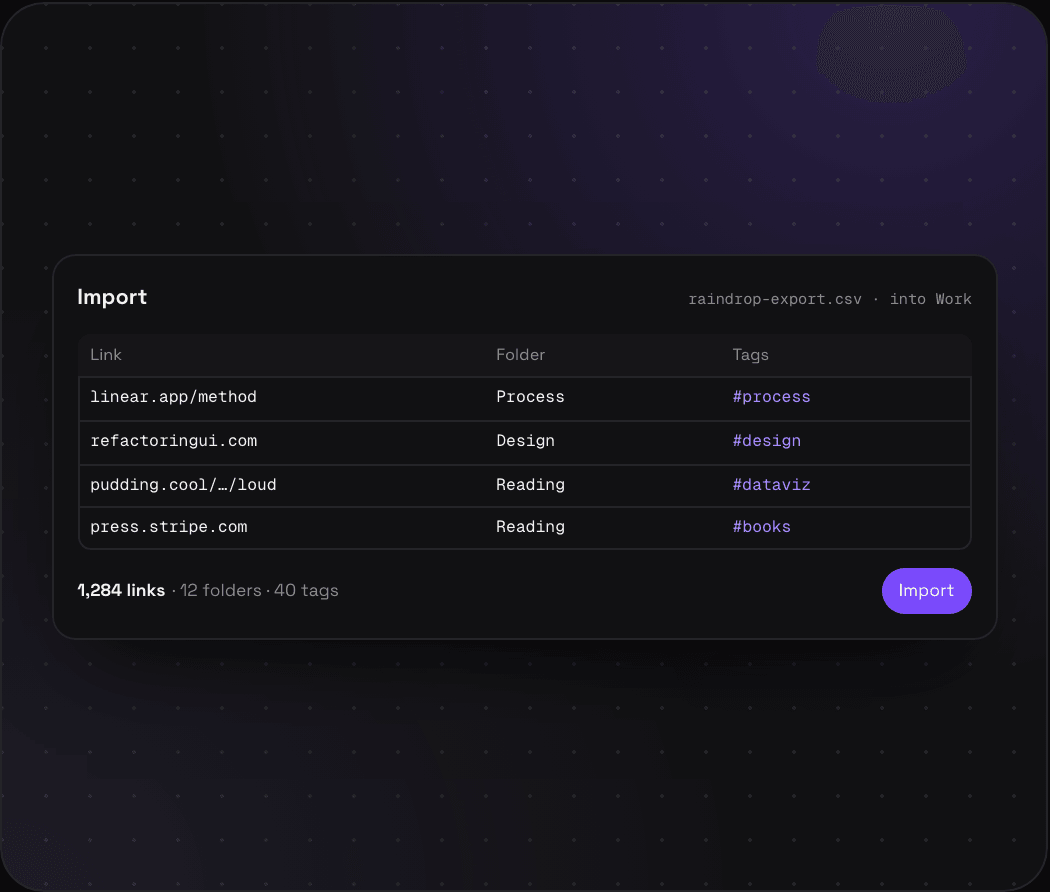
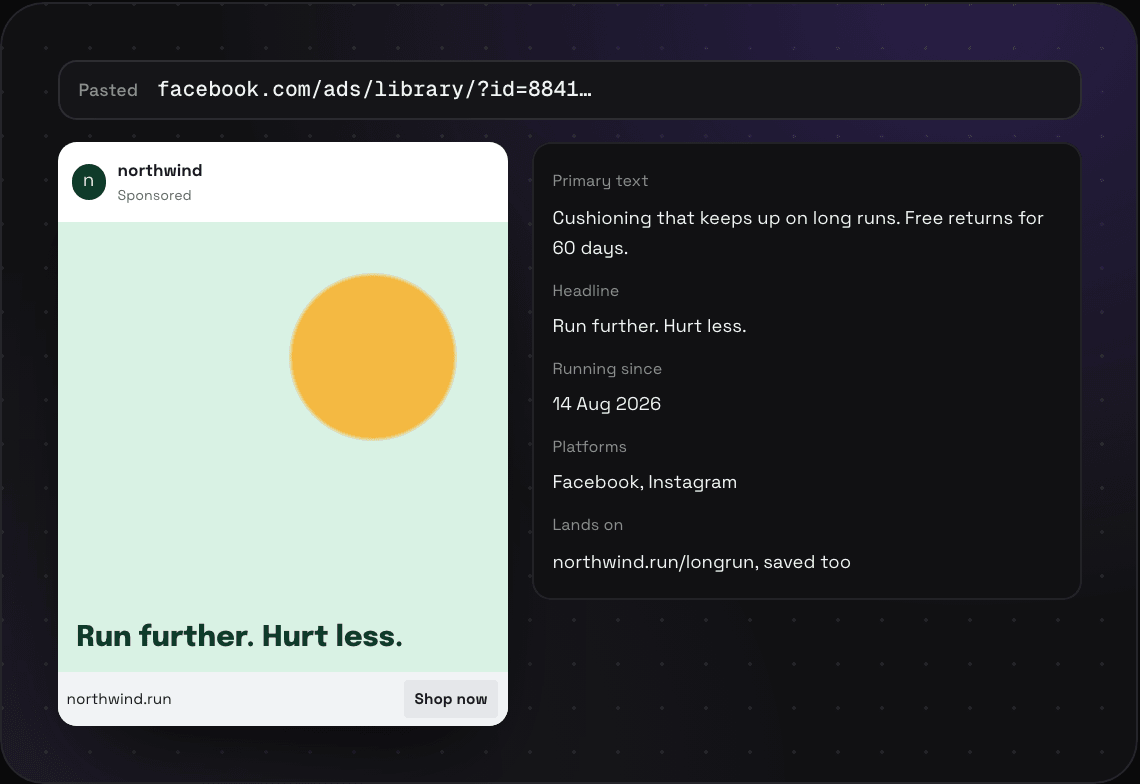
Paste a link anywhere in Savepad and it's saved, with a full-page screenshot, the text, and the metadata. Drag in a file, or a whole folder of screenshots from your desktop.
On your phone? Share something you liked to your Savepad email address and it'll show up in your Savepad, ready to sort.
Triage mode lets you start sorting things one at a time, with full keyboard support to get you to inbox zero.
Make a space for work and another for Mexico City. Folders nest as deep as you want, one save can sit in three of them at once, and tags work across all of it.
How spaces and folders work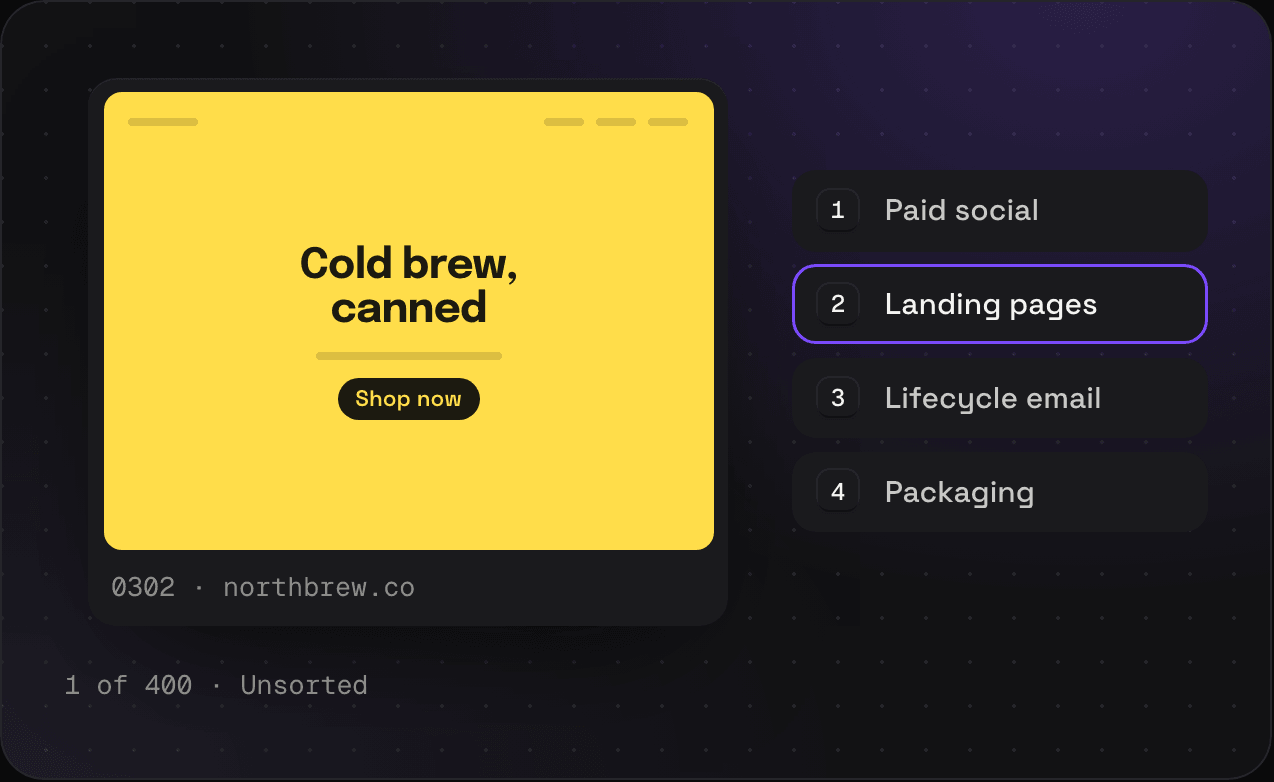
Remember three words from an example you saw two years ago? That's enough. Savepad searches page text, PDF pages, email bodies, code, your notes, and the text in your screenshots.
How search works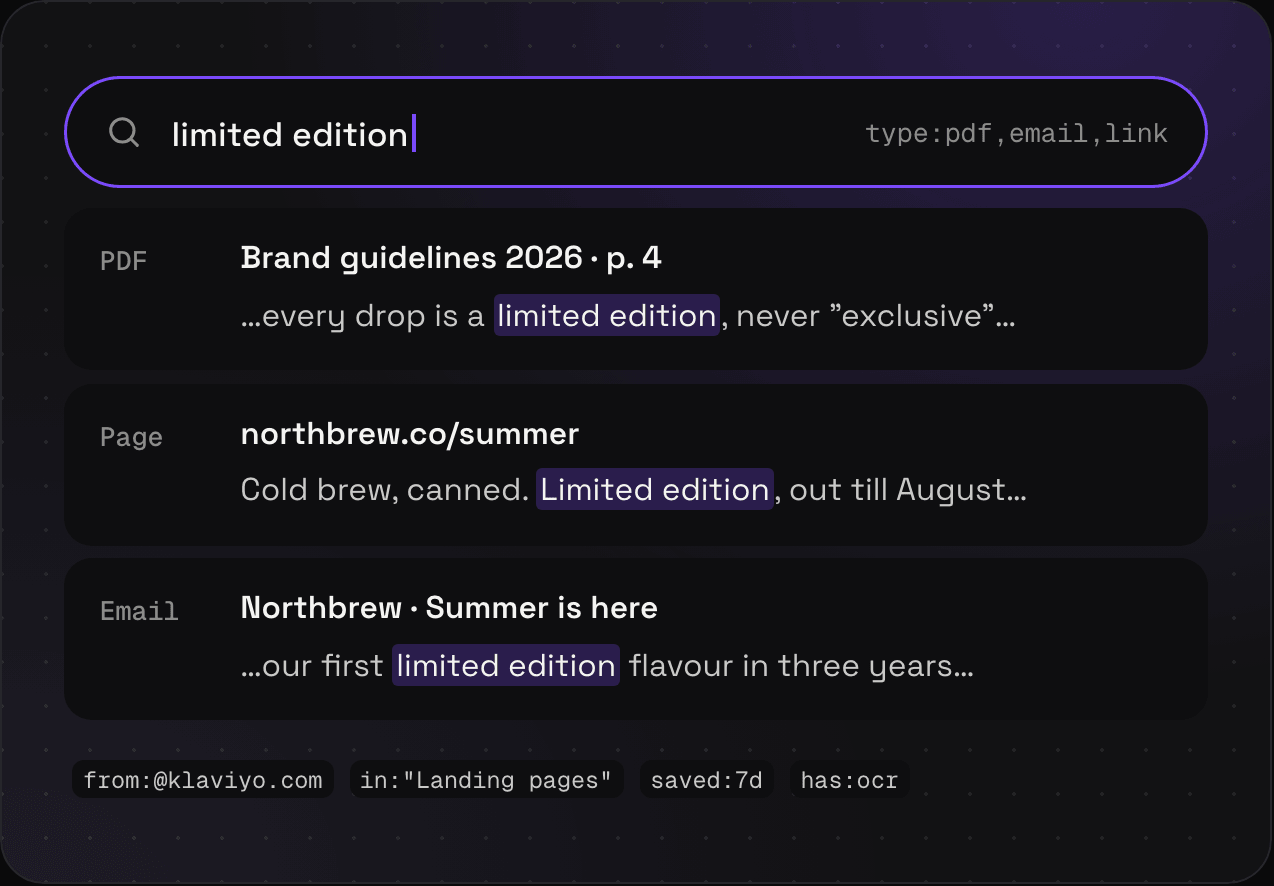
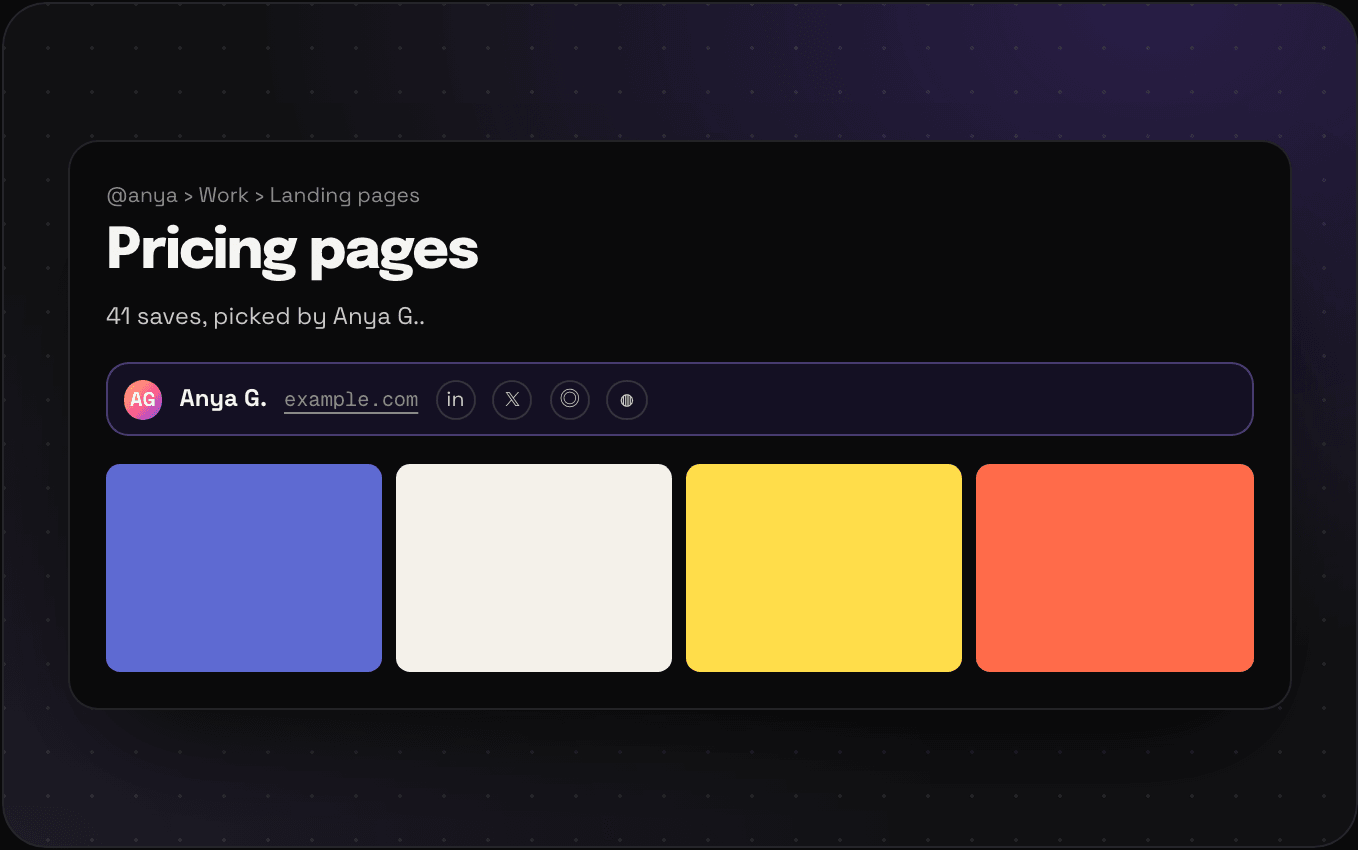
Everything starts private. Make a space, a folder, or a tag public and it shows up at my.savepad.app/@yourname. Want to show one person one thing? Send a private link, with a password or an expiry if you like.
There's no AI inside Savepad. But connect Claude, ChatGPT, or Cursor over MCP and it does the dull bits for you: save the 40 links from that Slack thread into the right folders, tag last month's Unsorted, dig out the onboarding flows you saved in 2024.
 Claude
 ChatGPT
 Cursor
 Gemini CLI
 Perplexity
 VS Code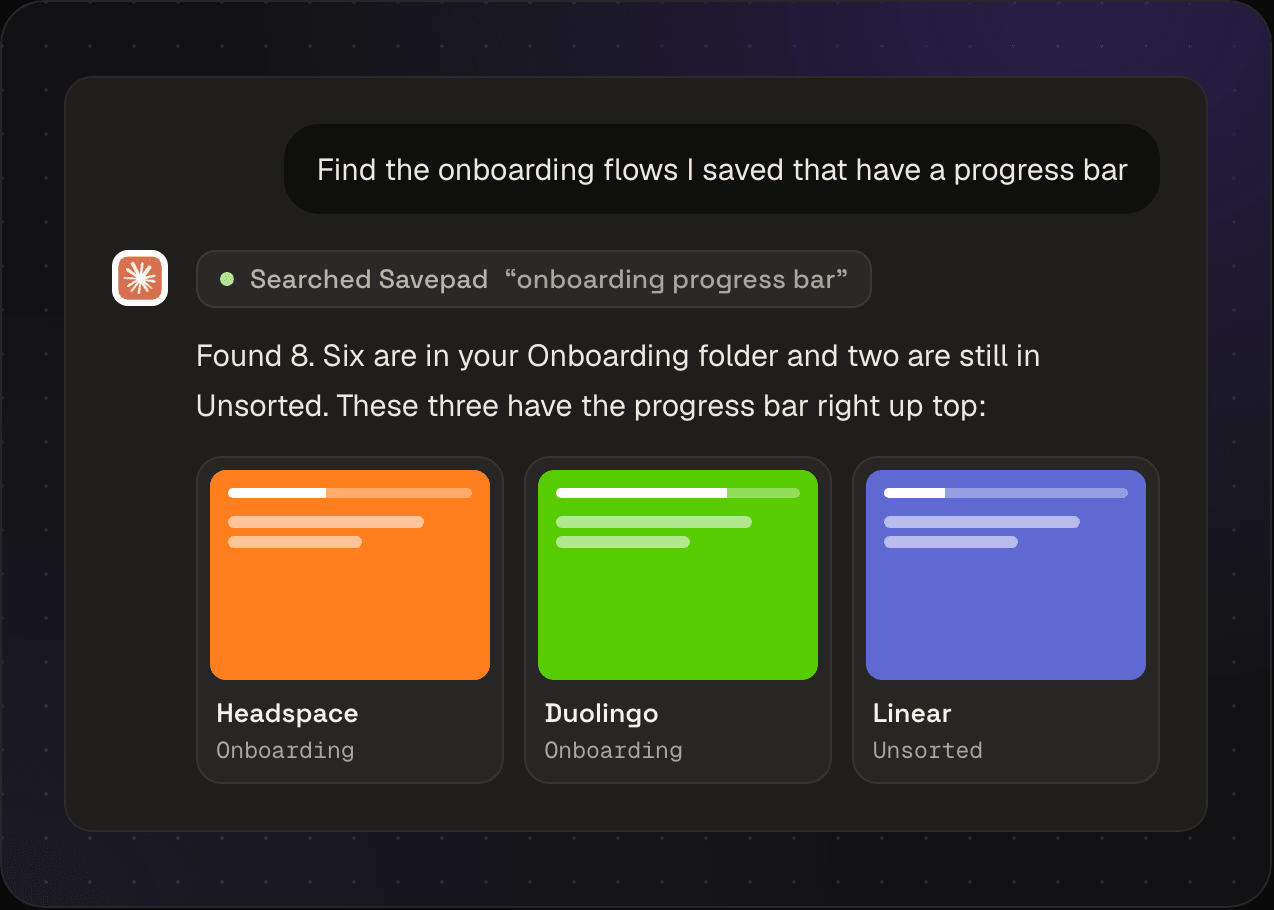
There is no AI INSIDE Savepad. It doesn't summarise your saves, guess your tags, or send your library to a model. It reads metadata, page text, and the words in your screenshots the old-fashioned way, and keeps your stuff in the EU.
You got inspired by stuff for a reason. You get to sort them as you like.
Read the philosophy“This made my life SOOOO much easier, literally a lifesaver! I sometimes end up with over 50 open tabs of "cool stuff" for work, but now everything is sorted and easy to find when I actually need it. I love this!”
 Clarisse Armand Product Marketing Team Lead at Lingoda
 “Generating ideas was never a bottleneck, but thanks to Savepad, I can now structure and execute my ideas. Big fan already!”
 Gerry Koch Co-Founder at Contracthero
 “As a brand designer, I save a ridiculous number of fonts and colour palettes. Savepad opens fonts and pulls colours straight out of screenshots, so I go from ‘ooh, nice’ to usable in seconds.”
 Adela Posse Lead Brand Designer at Synthesia
 “I’m always juggling ideas, research, docs, and resources across projects. Savepad makes it super easy to capture everything in one place and keep it organized so I can quickly find what I need.”
 Fabian Beliza Sr. Product Manager at Hygraph
 “Code snippets, docs pages, and CSS tricks from a tweet, all in the same place. And no AI summarising stuff I never asked it to.”
 Jamie Barton DX Engineer at Bunny
 “I usually have a mess of different tools and workflows to handle my inspiration for work, Nook, other side projects, and stuff like dogs or cafes or art. With Savepad it's all stupidly easy to handle in one place. Genuinely goated.”
 Sanjana Laddha Co-founder and designer at Nook
 “When we debate about a product decision, I want to point at the specific examples that convinced me. Before, it was mostly "I saw this somewhere", now I know exactly where!”
 Alexandru DG Chief Product and Tech Officer at Temedica
 “Savepad isn't just my personal swipe file, it's my moat. It helps me fuel my inspiration in a beautifully crafted, opinionated UI. I just ship better work, faster. Savepad is an unfair advantage.”
 Flo Merian Co-founder at marketingto.dev
 “This is the swipe file I didn't know my chaotic brain was begging for. Every random thing I've ever wanted to remember now lives in a single gloriously searchable place.”
 Gijs Hendrix Director of Product and Development at Appical
 “This made my life SOOOO much easier, literally a lifesaver! I sometimes end up with over 50 open tabs of "cool stuff" for work, but now everything is sorted and easy to find when I actually need it. I love this!”
Clarisse Armand Product Marketing Team Lead at Lingoda “Generating ideas was never a bottleneck, but thanks to Savepad, I can now structure and execute my ideas. Big fan already!”
Gerry Koch Co-Founder at Contracthero “As a brand designer, I save a ridiculous number of fonts and colour palettes. Savepad opens fonts and pulls colours straight out of screenshots, so I go from ‘ooh, nice’ to usable in seconds.”
Adela Posse Lead Brand Designer at Synthesia “I’m always juggling ideas, research, docs, and resources across projects. Savepad makes it super easy to capture everything in one place and keep it organized so I can quickly find what I need.”
Fabian Beliza Sr. Product Manager at Hygraph “Code snippets, docs pages, and CSS tricks from a tweet, all in the same place. And no AI summarising stuff I never asked it to.”
Jamie Barton DX Engineer at Bunny “I usually have a mess of different tools and workflows to handle my inspiration for work, Nook, other side projects, and stuff like dogs or cafes or art. With Savepad it's all stupidly easy to handle in one place. Genuinely goated.”
Sanjana Laddha Co-founder and designer at Nook “When we debate about a product decision, I want to point at the specific examples that convinced me. Before, it was mostly "I saw this somewhere", now I know exactly where!”
Alexandru DG Chief Product and Tech Officer at Temedica “Savepad isn't just my personal swipe file, it's my moat. It helps me fuel my inspiration in a beautifully crafted, opinionated UI. I just ship better work, faster. Savepad is an unfair advantage.”
Flo Merian Co-founder at marketingto.dev “This is the swipe file I didn't know my chaotic brain was begging for. Every random thing I've ever wanted to remember now lives in a single gloriously searchable place.”
Gijs Hendrix Director of Product and Development at Appical Free for your first 150 saves. Light for when you want to stop counting. Ultra Pro Max Plus when you need to bring in the big guns. Monthly, so you can leave whenever without feeling trapped.
Compare all plans in detail€0 for good
Get used to Savepad with links, notes, and screenshots. No card needed.
€4.99 a month
All the bells and whistles with some limits.
€9.99 a month
For when saving things feels like your full-time job.
A collection of examples you've seen and liked, kept so you can steal from them later. Copywriters have kept them in shoeboxes for a hundred years. Marketers keep them in 14 different apps. Savepad is the one app. The long answer is in what a swipe file is, and how to keep one.
Links, screenshots, PDFs, documents, newsletters, code, notes, colours, places, and recipes. YouTube, Vimeo, Loom, and TikTok links come in with the frame and the title. On Light you can upload your own audio and video files too. Every one of them is on the save types page.
Yep. Page text, PDF text, email bodies, and the words in your screenshots all go into the same search box. So that ad with "pay as you grow" on it turns up when you search for pay as you grow. The filters and tricks are in the search docs.
Yep. Raindrop, Pocket, Pinboard, Instapaper, your browser's bookmarks, or any CSV with a url column. Even your Google Maps lists, through Takeout. Savepad fetches every link again on the way in, so the previews are fresh. Step by step in importing from other apps.
Only if you say so. Everything starts private. Make a space, a folder, or a tag public and it shows up at my.savepad.app/@yourname. Want to show one person one thing? Send a private link, with a password or an expiry if you like. More on your public Savepad.
Yep, on every plan. Make a link in Settings, paste it into Claude, ChatGPT, Cursor, or whatever you use, and ask it what you saved about pricing pages. Savepad never calls a model itself. Your assistant does the thinking. Setup for each one is in connecting an assistant.
Because Savepad is your swipe file. When the team needs to see a folder, make it public, or send them a link. Is that leaving money on the table? Probably.
Because email already does the job. From your phone, share anything to your Savepad email address and it shows up in Unsorted. The web app installs to your home screen for when you need to look something up on the train. Saving from your phone has the details.
Everything smart in Savepad is plain old parsing: page metadata, PDF text, colours, and the words in your images. No-AI is a philosophy behind Savepad, and the philosophy page has the whole rant.
In the EU. Some of the tools we use are American, but we use their EU hosting. Savepad is built in Germany.
You'll get a looooong (6 months) heads up. You can export everything, files included, in formats other apps can read (like CSV and JSON) from the dashboard in a couple of clicks. See exporting your library.
Savepad is being rebuilt from scratch. Leave your email and I'll ping you the day it opens.
 tines.com
 indiehackers.com
 candost.blog
 mkt1.substack.com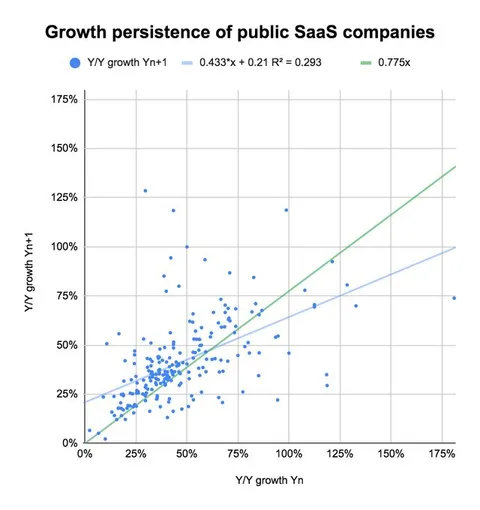
 medium.com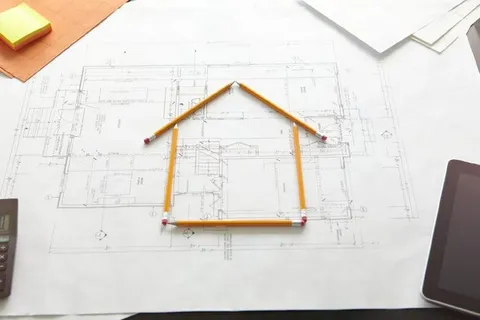
 review.firstround.com
 personalizationdecoded.com
 algolia.com
 pitch.com
 twilio.com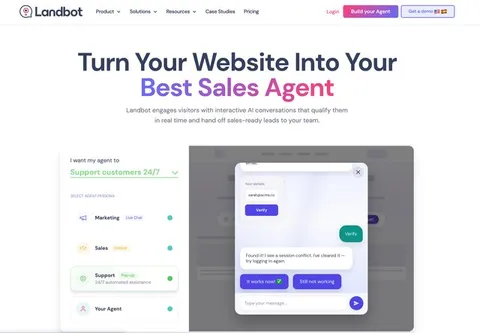
 landbot.io
 konghq.com
 mailchimp.com
 kylepoyar.substack.com
 platformer.news
 twitter.com
 foundationinc.co
 learning.postman.com
 prisma.io
 plaid.com
 liveblocks.io
 bytebase.com
 raycast.com
 neon.tech
 railway.app