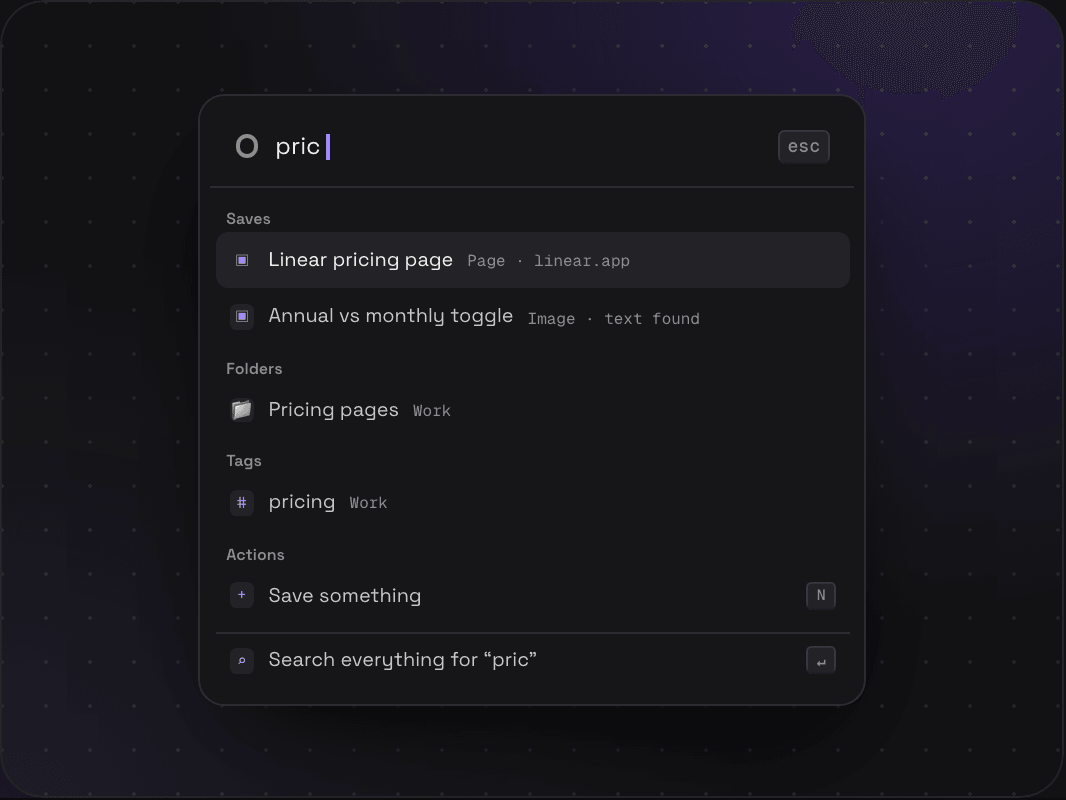
Everywhere
Work from any screen, as long as you’re not typing in a box.
- Save something
- N
- Jump anywhere, or run a command
- ⌘K
- Search
- /
- Paste anything to save it
- ⌘V
- Hide or show the sidebar
- [
- See every shortcut
- ?
Every shortcut in Savepad is on this page. So is how it works with a screen reader, without a mouse, and with motion turned off.
Work from any screen, as long as you’re not typing in a box.
Press G, let go, then the letter.
Saves, spaces, folders, tags, saved views, and actions, as you type.
In the grid, the list, and search results.
One save at a time, a folder on every number.
In the save box and the tag picker.
The chart and cook mode step with arrows too.
400 saves in Unsorted, one on screen at a time. Press a number to file it, T to tag it, an arrow to skip. You won’t touch the mouse once.
That's the accessibility standard the European Accessibility Act points to. Here's what it means in Savepad.
The grid, the folder tree, dialogs, and every viewer have proper roles and labels. We test with VoiceOver and NVDA, and run axe in a real browser before anything ships.
You can reach everything you can click with Tab, and you can always see where the focus is. Dialogs keep focus inside them and put it back where it was when they close.
Savepad follows your computer’s reduced motion setting, and there’s a switch in Settings to turn motion off in Savepad only. Nothing autoplays.
Text is at least 4.5:1 against its background, the small grey text included.
Every chart has a table with the same numbers under it, and the Stats chart reads each point out as you step through it with the arrow keys.
Macs show ⌘, Windows and Linux show Ctrl, in the app and on this site. You don’t have to set anything.
Not yet. Most of them are the ones Gmail, Linear, and GitHub use, so they might already be in your fingers.
No. Letter shortcuts wait until you’re out of the text box, so typing a note never saves something by accident.
It’s built to WCAG 2.2 AA and checked with a screen reader and axe before anything ships. Something doesn’t work for you? Tell us and it gets fixed.
Yes. Everywhere this page says ⌘, use Ctrl. The app shows you the right one for your computer.
Savepad launches soon. Leave your email and I'll let you know when it's live.