Account and security
How you sign in to Savepad, see every device you are signed in on, sign out everywhere, and delete your account and everything in it.
Go to Settings > Account and security.
Signing in
Savepad signs you in with a link sent to your email. There’s no password. Changing your email address isn’t in Settings yet: email [email protected] from the address you have now and we’ll do it.
Where you’re signed in
Every browser and device you’re signed in on is listed, with when it was last seen. This one is the one you’re on.
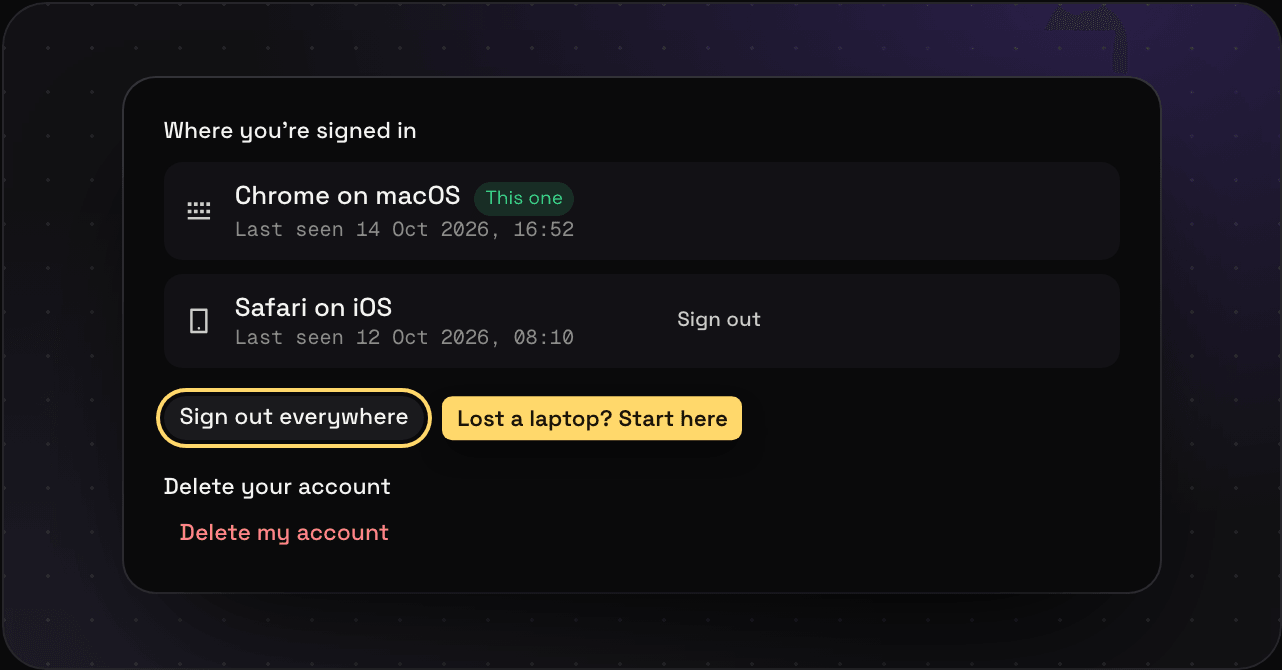
- Sign out next to a device signs that one out.
- Sign out everywhere signs out every device except the one you’re on. Lost a laptop? Start here.
Delete your account
Press Delete my account. Everything goes: your saves, files, spaces, public pages, private links, and connected assistants. Backups included. There’s no undo, so export your library first if there’s anything you want to keep.
If you’re on a paid plan, deleting your account cancels it.
Your data
Your saves are private until you make them public. Savepad doesn’t read them, doesn’t train anything on them, and doesn’t use AI on them. The privacy policy has the details, and the nerdy deets say where everything is stored and how file links are signed.