Stats for your public pages
See how many people looked at your public Savepad, which pages, from where, and on what. No cookies, and only you can see it.
Once something’s public, Stats at the bottom of the sidebar shows who’s looking. Only you can see it.
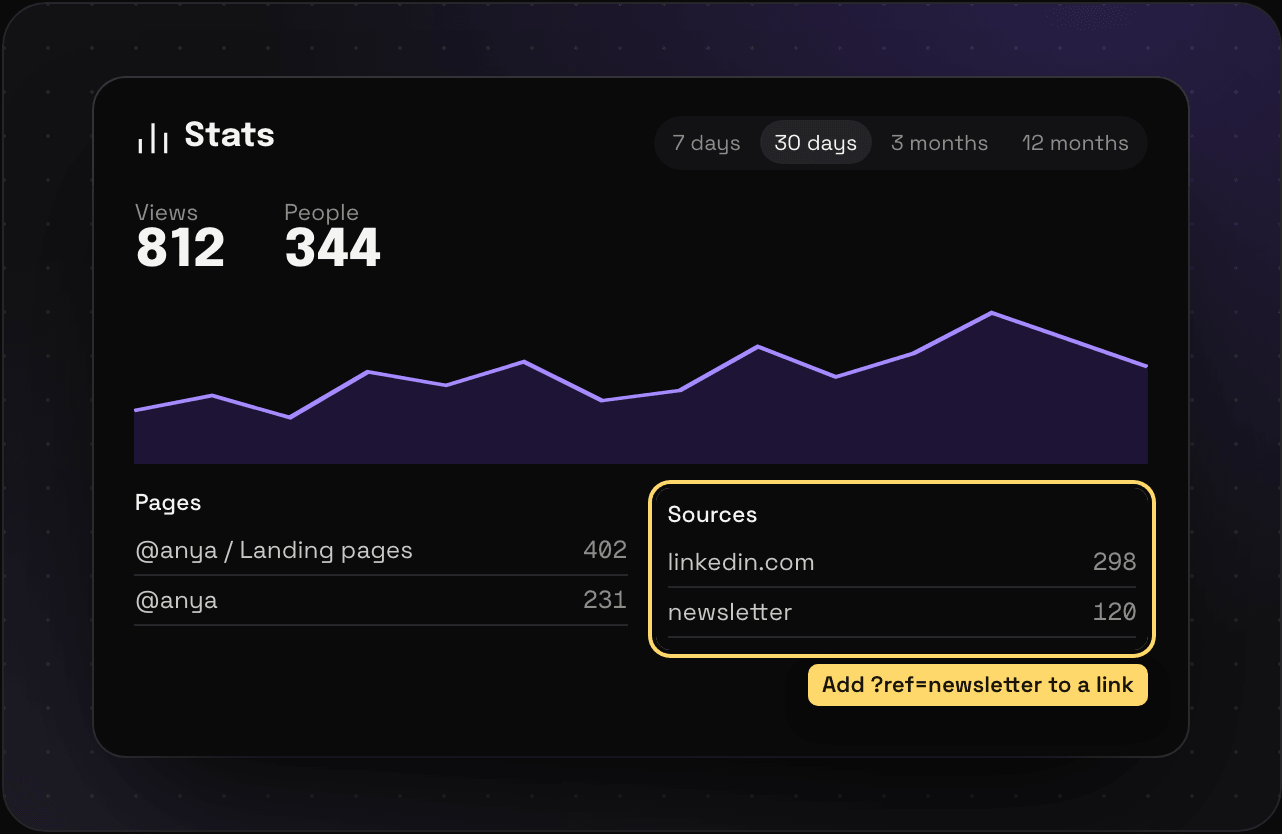
What it shows
- Views and People, over 7 days, 30 days, 3 months, or 12 months
- Pages: which spaces, folders, and tags got looked at
- Sources: where people came from, like linkedin.com or a newsletter
- Countries and Devices
Click a page to see its numbers on their own. Show the numbers as a table if you’d rather read than squint at a chart.
Track a link you share
Add ?ref= and a name to the link you share, and it shows up as its own source. my.savepad.app/@anya?ref=newsletter shows up as “newsletter”.
How it counts
No cookies. Your own visits don’t count. A view is the same person on the same page once an hour. A person counts once a day, so someone back tomorrow counts again. Stats update once a day at midnight CET, so today’s views show up tomorrow, and a day runs midnight to midnight CET.