Search and filters
Search inside pages, PDFs, emails, code, and screenshots, and narrow it down with filters.
Search as you type
Press ⌘K (or /) from anywhere and start typing. Savepad searches titles, notes, the text of every page, PDF, email, and snippet, and the words in your screenshots. Typos are fine.
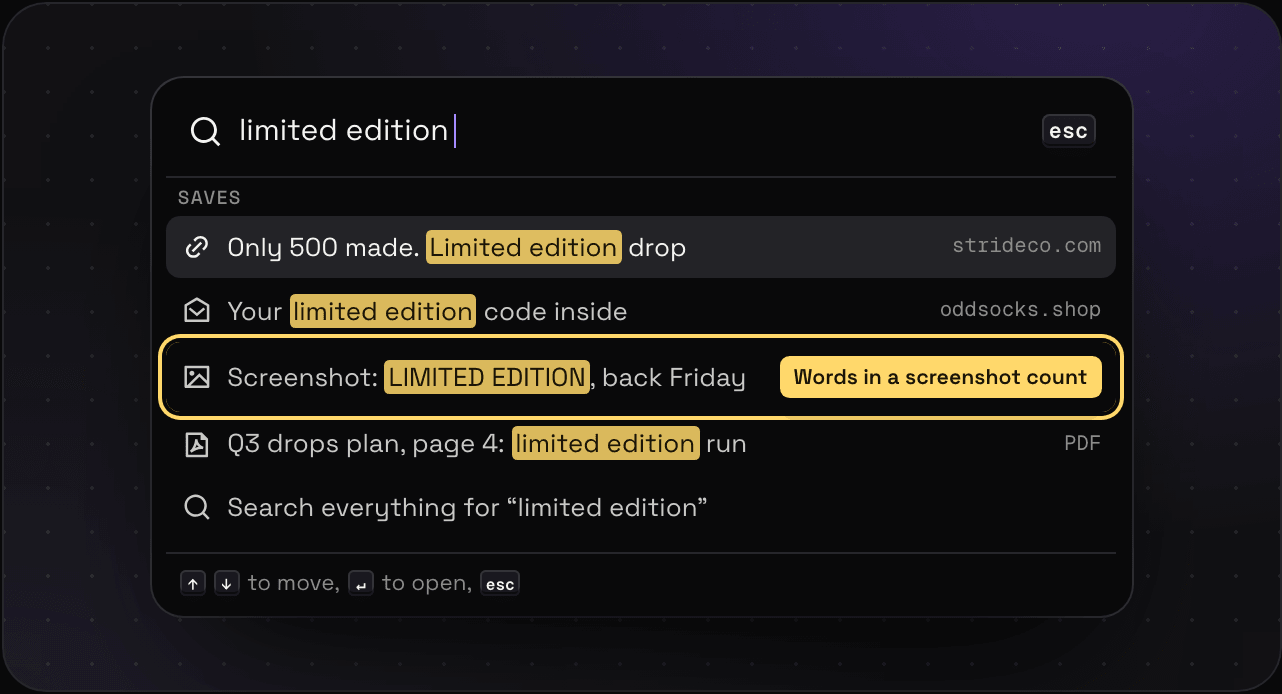
Found it in a PDF? It opens on the page that matched. In an email? It scrolls to the line.
Filters
Click the filter bar to narrow things down by type, space, folder, tag, source, colour, or date. Or type them straight into the search box:
| Type this | To get |
|---|---|
type:pdf | Only PDFs (or email, image, code, …) |
from:stripe.com | Saves from one site |
in:"Landing pages" | Saves in one folder |
tag:pricing | Saves with a tag |
-tag:archived | Saves without a tag |
saved:7d | Saved in the last 7 days |
before:2026 | Saved before a date |
after:2026-03 | Saved after a date |
has:ocr | Images with text found in them |
is:favourite | Only your favourites |
is:unsorted | Only what’s still in Unsorted |
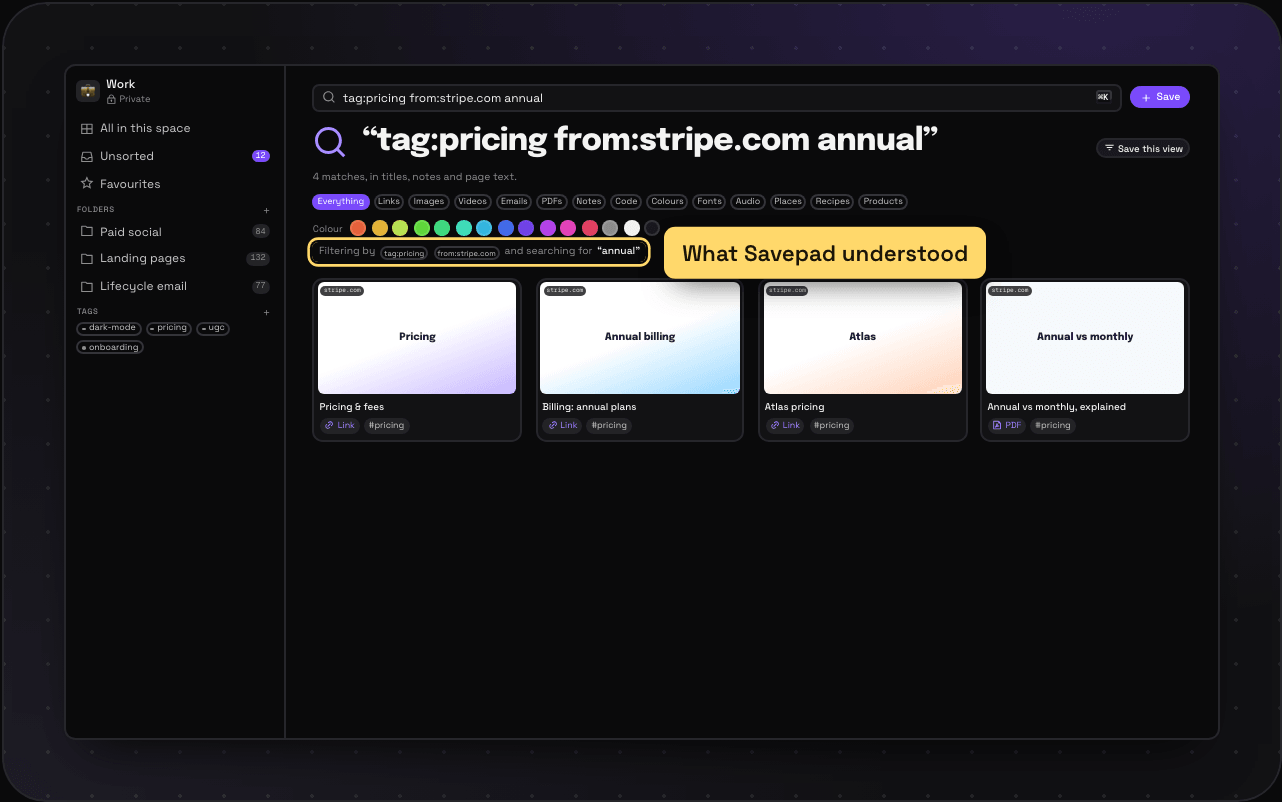
Mix them with words: tag:pricing from:stripe.com annual works. Savepad shows what it understood right above the results. Typo’d a tag? It searches for the word instead, so nothing quietly disappears.
Search by colour
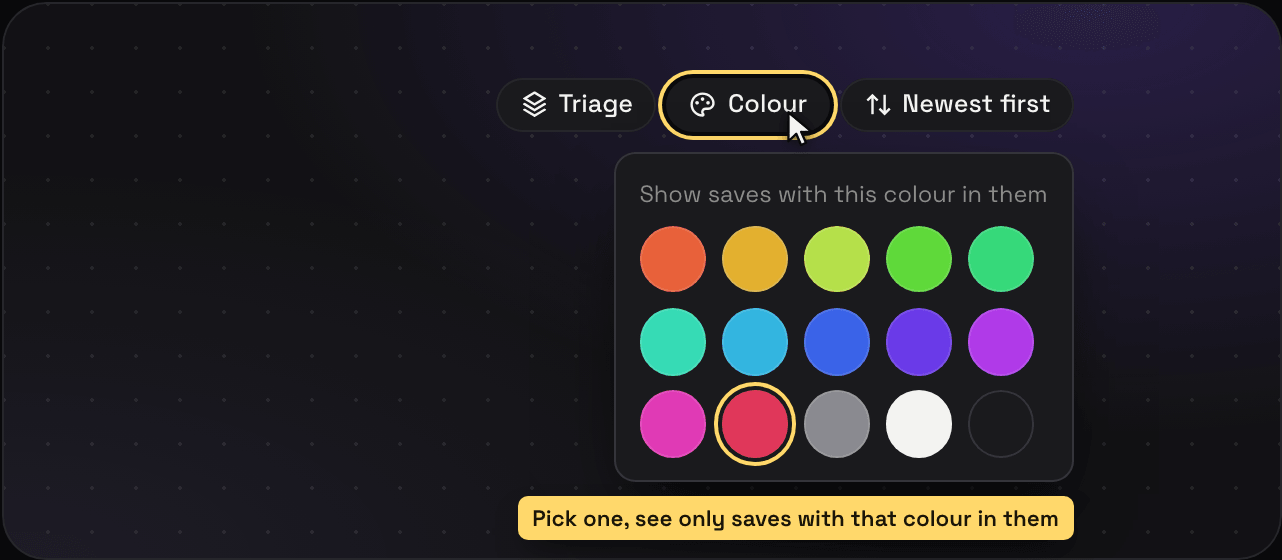
Pick a swatch in the colour row and you’ll get every save with that colour in it. “Pictures of shawarma with red in them” is a real search. Colours come from each save’s own preview image, so nobody tags them by hand. Want your list in rainbow order instead? Sort it By colour.
You don’t need the search page for it, either. Every folder, space, tag, Unsorted, and Favourites has a Colour button next to the sort. Pick a swatch and that list shows only the saves with that colour in them. Press the × next to it to see everything again.
Do the same search every week? Save it as a saved view. And to change how results look, see grid, list, map, and sorting.