Favourites and the bin
Star the saves you come back to, and get back anything you binned in the last 30 days: saves, folders, tags, and whole spaces.
Favourites
Star the saves you keep going back to. Open a save and press Favourite it, or select a few and press Favourite. They all show up under Favourites in the sidebar, across every folder. Press G then F to go there.
Search is:favourite to only search your favourites. A rule can star things for you, too.
The bin
Binning a save, a folder, a tag, or a whole space doesn’t delete it. It goes to Bin at the bottom of the sidebar for 30 days, then it’s gone for good.
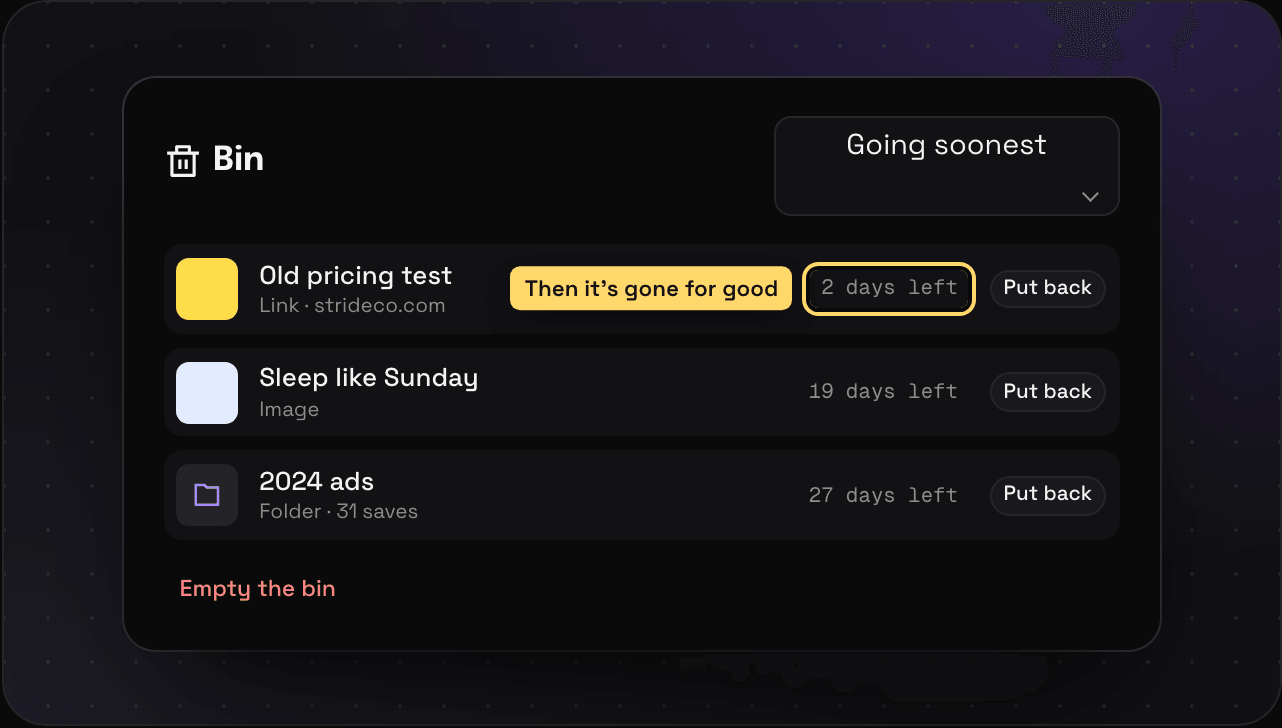
- Put it back: open the bin, find it, press Put back. It goes back to the folders it was in.
- Sort it: Binned most recently or Going soonest.
- Delete something now: select it and press Delete forever.
- Empty the bin: press Empty the bin. There’s no undo for that one.
Binned folders, tags, and spaces are listed under Folders, tags and spaces in the bin. Binning a folder only bins its saves if you pick Bin the folder and saves. Otherwise they stay in your library and any other folders they’re in. Saves binned with a folder are in the bin as saves, so put them back the same way you would any save. Binning a tag takes it off its saves until you put it back.
Binned saves still count toward Free’s 150 until the bin empties.