Save with your assistant
Have Claude, ChatGPT, Cursor, or any MCP assistant save links and notes to Savepad, file them into folders, and tag them. With prompts that work.
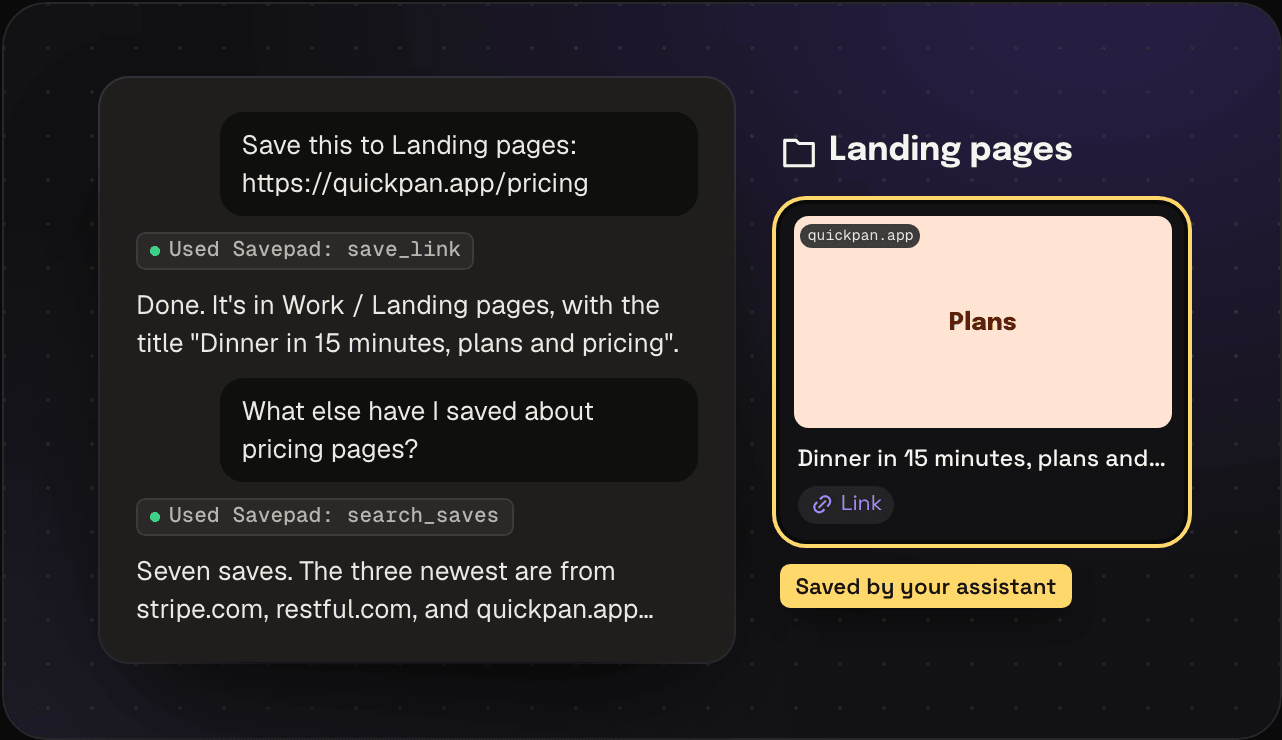
Savepad doesn’t have AI in it, and it won’t. But if you already use an assistant, it can save things for you. Connect it once, then say “save this to my Paid social folder” in the chat and it does. It’s on every plan.
Connect it first
You need to connect your assistant to Savepad once. It takes about a minute: you make a link in Savepad and paste it into Claude or ChatGPT. Connecting an assistant has the steps for Claude, ChatGPT, Claude Code, Cursor, VS Code, Windsurf, and Gemini CLI.
Saving one thing
Just ask. Your assistant reads your folders and tags first, so it files things where they belong.
- “Save https://quickpan.app/pricing to Landing pages”
- “Save this as a note in Onboarding: subject lines that name the day get opened more”
- “Save that link and tag it #pricing and #annual”
What it can save: links (which become pages, videos, places, or recipes like a paste would) and notes. Files still go in by dragging and dropping, because an assistant can’t hand over your files.
Saving a pile
Got 80 links in a Slack thread, or a note full of “read later”? Paste the whole thing into the chat and say what you want.
- “Save every link in this Slack thread. Pricing pages go in Pricing pages, the rest in Unsorted.”
- “Here’s my reading list. Save the links, and put whatever I wrote after each one in its note.”
- “Make a folder for each competitor in this list and save their homepages into them.” (Making folders needs Full control.)
It goes through the list one save at a time, so a few hundred links take a few minutes. Check the result in Savepad after.
Tidying up what’s there
- “Go through my Unsorted and tag everything by what it is”
- “Move every save from stripe.com into Pricing pages”
- “Find the onboarding emails I saved this year and tag them #onboarding”
What it can and can’t do
With a normal link it can search, save, edit, file, and tag. With Full control it can also upload files, make folders, spaces, and tags, make things public, handle private links, and bin things. It can never touch your plan, close your account, or delete anything for good. What your assistant can do has every action, with a prompt for each.
Want it to do all of this better? Add the Savepad agent skill. It teaches your assistant to search before it saves and never to guess a folder.