Code snippets
Save code snippets with syntax highlighting. Savepad guesses the language, keeps the formatting, and copies in one click.
The regex you’ll never remember, the scroll animation from that agency site, the SQL you wrote once at 2am. Save it once, find it by searching any word in it.
How to save code
- Paste it with ⌘V anywhere. Savepad spots code by its shape and guesses the language.
- Type or paste it into the save dialog (press N).
- Use backticks to pick the language yourself: three backticks, the language name, the code, three backticks.
- Ask your assistant to save it as a note.
Savepad recognises TypeScript, JavaScript, Python, SQL, HTML, CSS, Go, Rust, Bash, JSON, GraphQL, Dockerfiles, Java, and YAML by itself. Anything else saves as plain text.
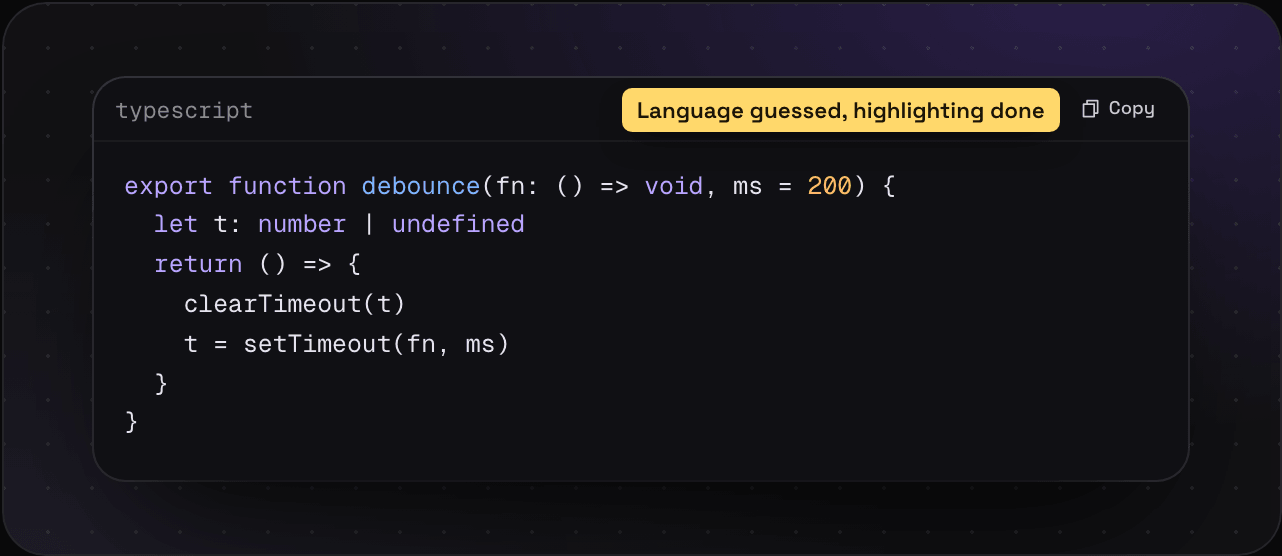
What you get
- Highlighting for the language
- A Copy button
- Every word searchable, so
debouncefinds it
Tips
- Write where it came from in the note. “From Linear’s changelog page, the fade on scroll.”
type:codein search shows only code.
Other things you write straight into Savepad: notes and colours and palettes.