Ad library links
Save ads from the Meta Ad Library, TikTok Creative Center, LinkedIn, and Google Ads Transparency. What Savepad keeps, and how to get the creative too.
If your swipe file is mostly other people’s ads, this one’s for you. Savepad knows the ad libraries, so an ad’s link saves as an ad, with whose it is and a way to see the rest of their ads.
Which libraries
- Meta Ad Library (Facebook and Instagram)
- TikTok Ads Library and Creative Center
- LinkedIn Ad Library
- Google Ads Transparency Center
How to save one
Open the ad in the library, copy its link (on Meta, that’s the See ad details page), and paste it into Savepad. Or email it to yourself from your phone.
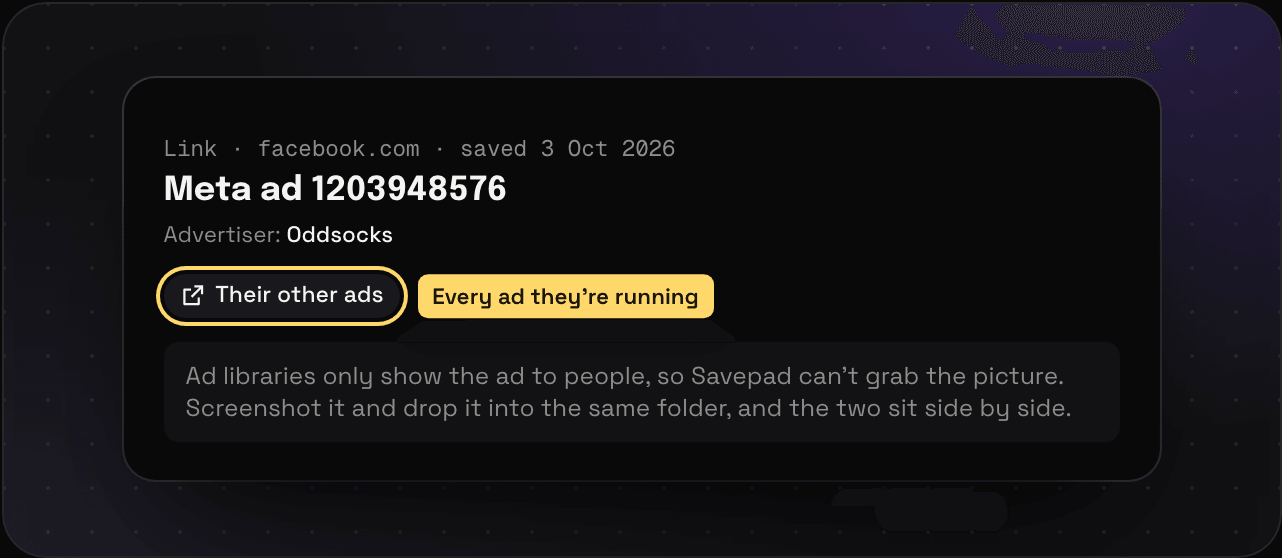
What you get
- The ad’s ID as the title, and the library it came from
- The advertiser, and a Their other ads button that opens everything they’re running right now
- Your note, folders, and tags like any save
Getting the picture too
Ad libraries only show the ad to people in a browser, so Savepad can’t grab the creative itself. The fix takes five seconds: screenshot the ad and drop the screenshot into the same folder. Savepad reads the words in it, so a search for the headline finds it, and the two sit side by side.
Want them kept as one thing? Put the link and the screenshot in a collection.
Filing ads automatically
Make a rule like “when the site is facebook.com, put it in Paid social / Meta”. Every ad you save after that files itself.