Your first save
Making an account, saving your first save, and seeing how Savepad saves it.
Make an account
Sign up at my.savepad.app with your email and a username. We send you a magic link, you click it, you’re in. Your username is also your public address later (my.savepad.app/@yourname), so pick one you like.
Save something
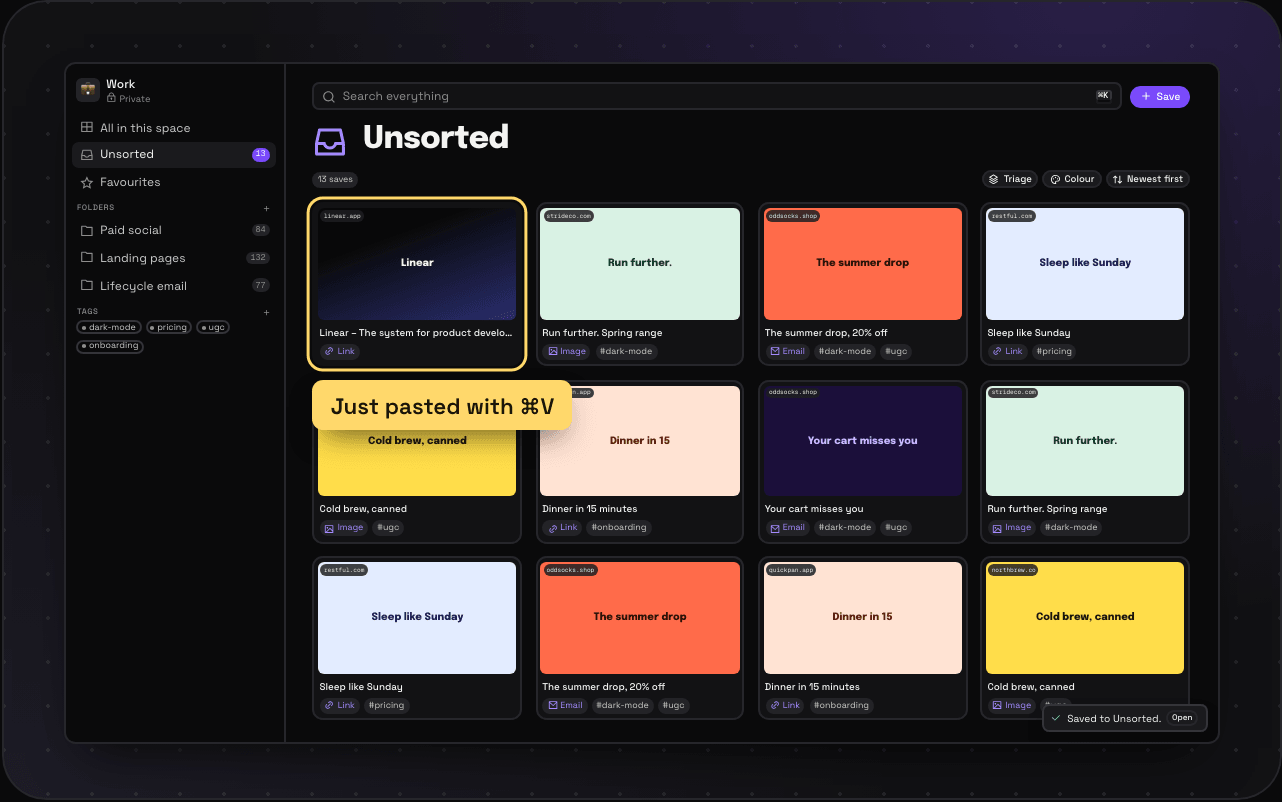
Copy a link, then press ⌘V anywhere in Savepad. That’s it. Savepad works out what you pasted, so a link becomes a web page, a hex code becomes a colour and a chunk of code becomes a snippet.
You can also:
- Drag a file, or a whole folder of screenshots, onto the window
- Press + Save and paste or type into the box
- Email it to your Savepad address (see Save from your phone)
What you get
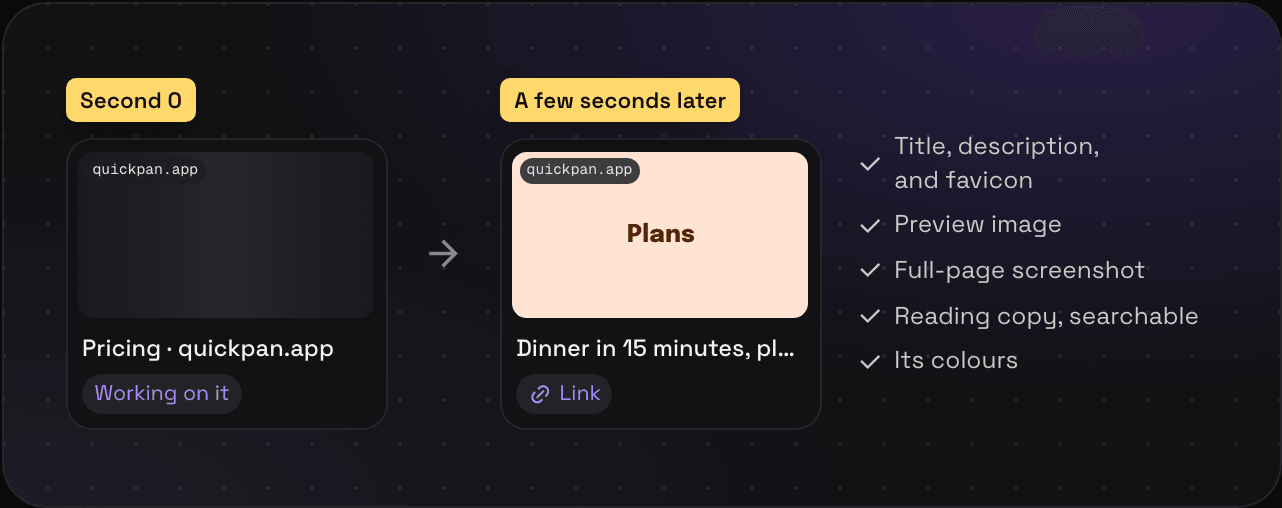
Give it a few seconds and the card fills in: the title, a preview image, the favicon, and the domain. Open it and you’ll also find a full-page screenshot, a reading copy of the text, and the colours pulled out of the page. What Savepad does with a save goes through all of it.
Where it goes
If you were inside a folder when you saved, it goes into that folder. If not, it lands in Unsorted, ready to sort whenever you like. Or not. No judgements.
Next
- Every way to save, from drag and drop to your assistant
- Spaces, folders, and tags, for when Unsorted gets busy
- Keyboard shortcuts, if you like your hands on the keys