Plans and billing
What Free, Light, and Ultra Pro Max Plus each include, how storage and save limits work, and how to upgrade, downgrade, cancel, and get invoices.
Savepad has three plans. Search, OCR, imports, exports, private links, the API, and MCP are on all of them, on purpose.
The plans
| Free | Light | Ultra Pro Max Plus | |
|---|---|---|---|
| Price | €0 | €4.99 a month | €9.99 a month |
| Saves | 150 | Unlimited | Unlimited |
| Images | 500 KB each | 5 MB each | 20 MB each |
| PDFs, documents, fonts, and emails | No | 50 MB each | 250 MB each |
| Room for files | 100 MB | 5 GB | 25 GB |
| Uploads a month | No monthly limit | 1 GB | 2 GB |
| Uploads in your first 30 days | 100 MB | 2 GB | 5 GB |
| Audio, routes, and products | No | Yes | Yes |
| Sequences and collections | No | Yes | Yes |
| Rules and custom properties | No | Yes | Yes |
| Public pages | No | Yes | Yes |
| Video uploads | No | 50 MB each, 30 min in all | 250 MB each, 2 h in all |
| Private links | 3 | 20 | Unlimited |
| Broken link checks | No | Monthly | Weekly |
| Page history | No | No | 100 pages |
Links, notes, code, colours, places, recipes, and video links work on every plan. Each one counts as a save, but none of them use your file storage. The pricing page has the full list.
How limits work
- Saves: every link, image, note, or file is one save. Binned saves count until the bin empties.
- Room for files: everything you upload, added up. Links and notes still count as saves, but they don’t use any of it.
- Uploads a month: how much you can upload each calendar month. Deleting a file doesn’t give the month back. Your first 30 days on Savepad get a bigger allowance instead (2 GB on Light, 5 GB on Ultra Pro Max Plus), so you can bring your old swipe file over. It’s once, from the day you sign up, and changing plans doesn’t start it again.
Settings > Plan and billing shows what you’re using.
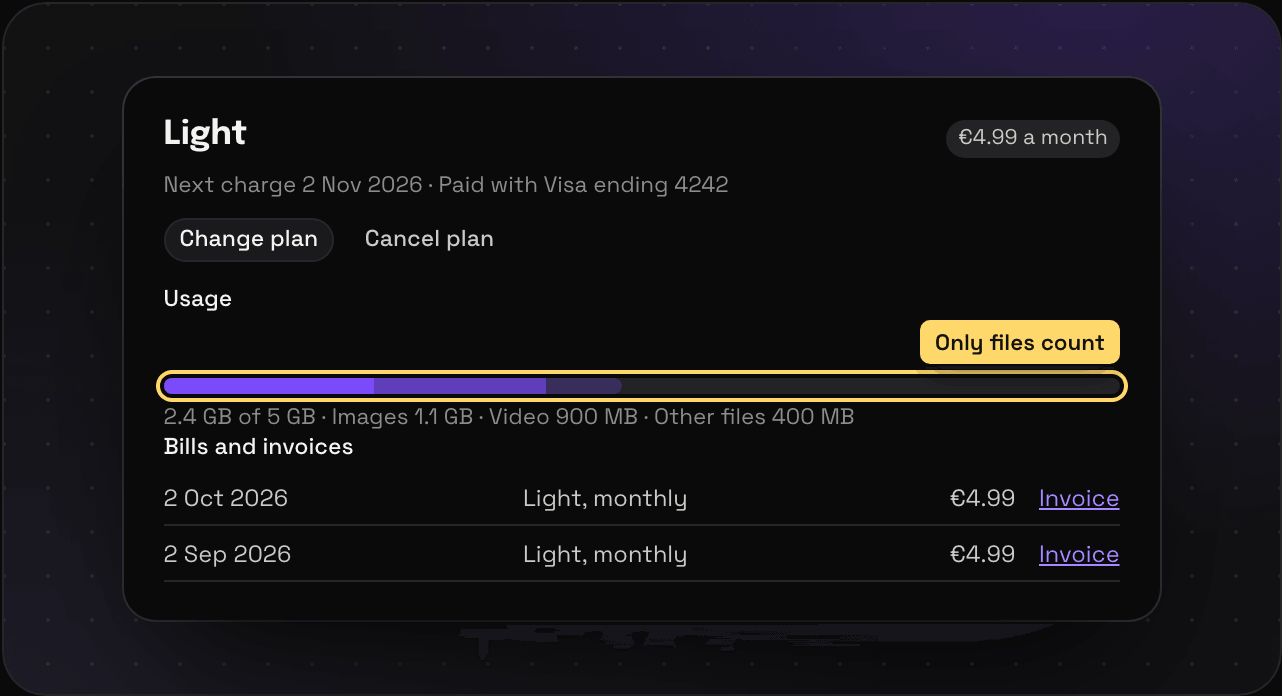
Upgrade, change, or cancel
Go to Settings > Plan and billing.
- Change plan to move up or down. Prices are shown in your currency.
- Cancel plan to stop paying. You keep your plan until the end of what you paid for, then you’re on Free.
- Payments go through Paddle, who handle the card, the VAT, and the invoice.
Going down a plan
Nothing you saved is ever deleted when you go down a plan. Between paid plans, you just can’t add past the new plan’s limits until you’re under them again.
Dropping to Free is stricter. You see your newest 150 saves that fit Free’s types and sizes, so no PDFs, documents, audio, or uploaded videos, and no images over 500 KB. Everything else stays in storage, out of sight, and comes back the moment you upgrade again. Your rules stop running, your properties stay but can’t be changed, and your public pages go private until you’re back on Light.
Invoices
Every invoice is under Bills and invoices. Press Edit invoice name, address or VAT number to change what’s on them.
Closing your account instead? See account and security. The rest of Settings is on the Settings page.