Select lots at once
Select a batch of saves in Savepad and file, tag, favourite, pin, or bin them together, with undo. With the mouse or the keyboard.
Imported 300 bookmarks? Saved a week of screenshots from your phone? Don’t file them one at a time.
Select
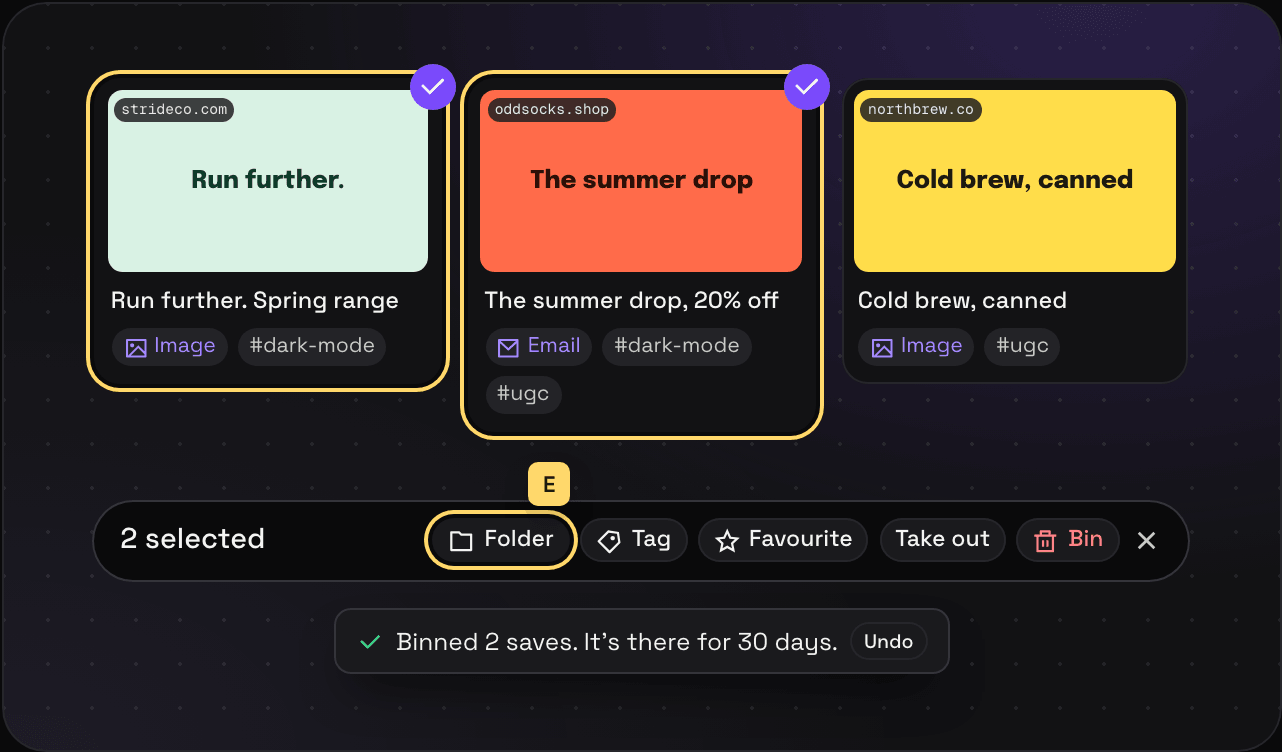
- With the mouse: hover a card and tick the circle in its corner. Keep ticking.
- With the keyboard: move with J and K, press X on each one you want.
A bar shows up at the bottom with what you can do with them.
What you can do
- Folder adds them all to a folder. They stay in the folders they’re already in.
- Tag tags them all.
- Favourite stars them.
- Pin styles the pins of selected places all at once.
- Take out takes them out of the folder you’re looking at. They stay in your library and any other folder.
- Bin sends them to the bin for 30 days.
In the bin, the bar has Put back and Delete forever instead.
Undo
Every one of these can be undone. Press Undo on the message that pops up, or ⌘Z.
From the keyboard
Select with X, press E to file them in a folder or T to tag them, and ⌘Z if you got it wrong. Keyboard shortcuts has the rest.