Save from your phone
Save from your phone by sharing anything to your own Savepad email address. Links, screenshots, emails, and files, straight into the right folder.
Your Savepad address
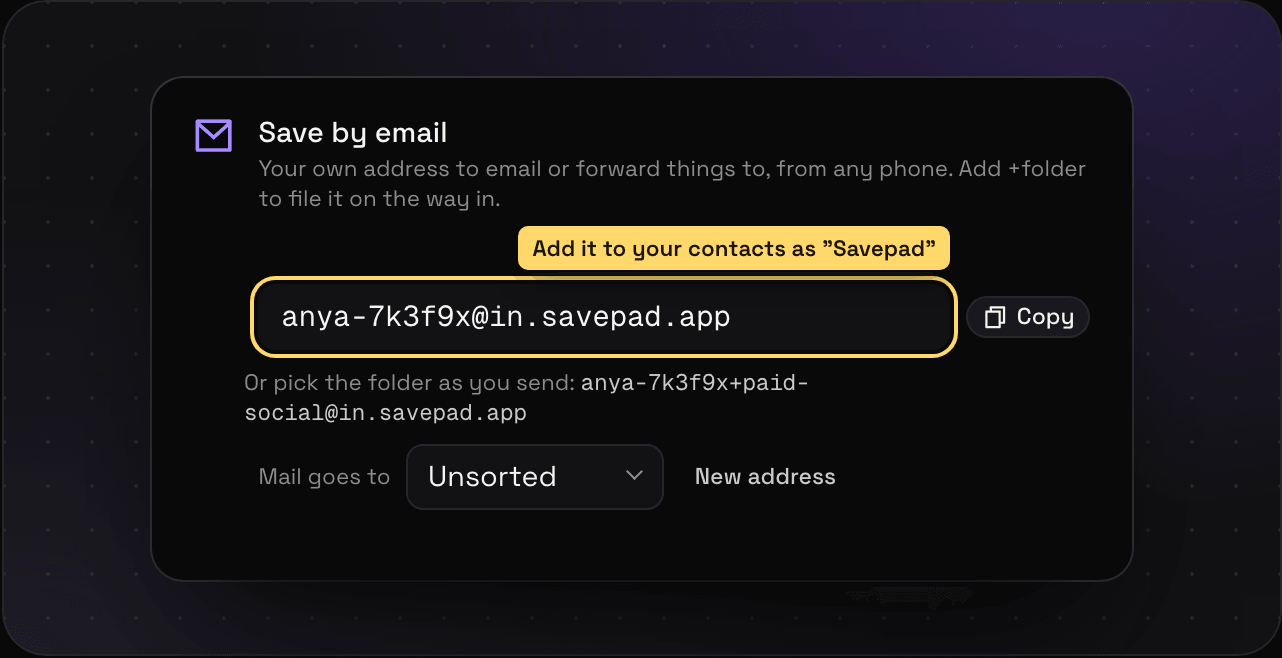
Every account gets its own email address. Make yours in Settings > Saving from elsewhere. It’s a long random string on purpose: anyone who has it can save into your Savepad, so keep it to yourself. Add it to your contacts as “Savepad” so it’s always one tap away. If it ever leaks, make a new one there and the old one stops working.
Share anything to it
On your phone, hit share in any app and pick email. Send it to your Savepad address and it shows up in your Savepad, ready to sort.
- Just a link (or a few) becomes a save per link, with a preview
- Just screenshots or PDFs get saved as they are, and the words in a screenshot become searchable
- Anything with words in it is kept as the email, the way it arrived. Forward a brand’s newsletter and the brand stays the sender, with the subject, the preheader, and the date it went out
Send it straight into a folder
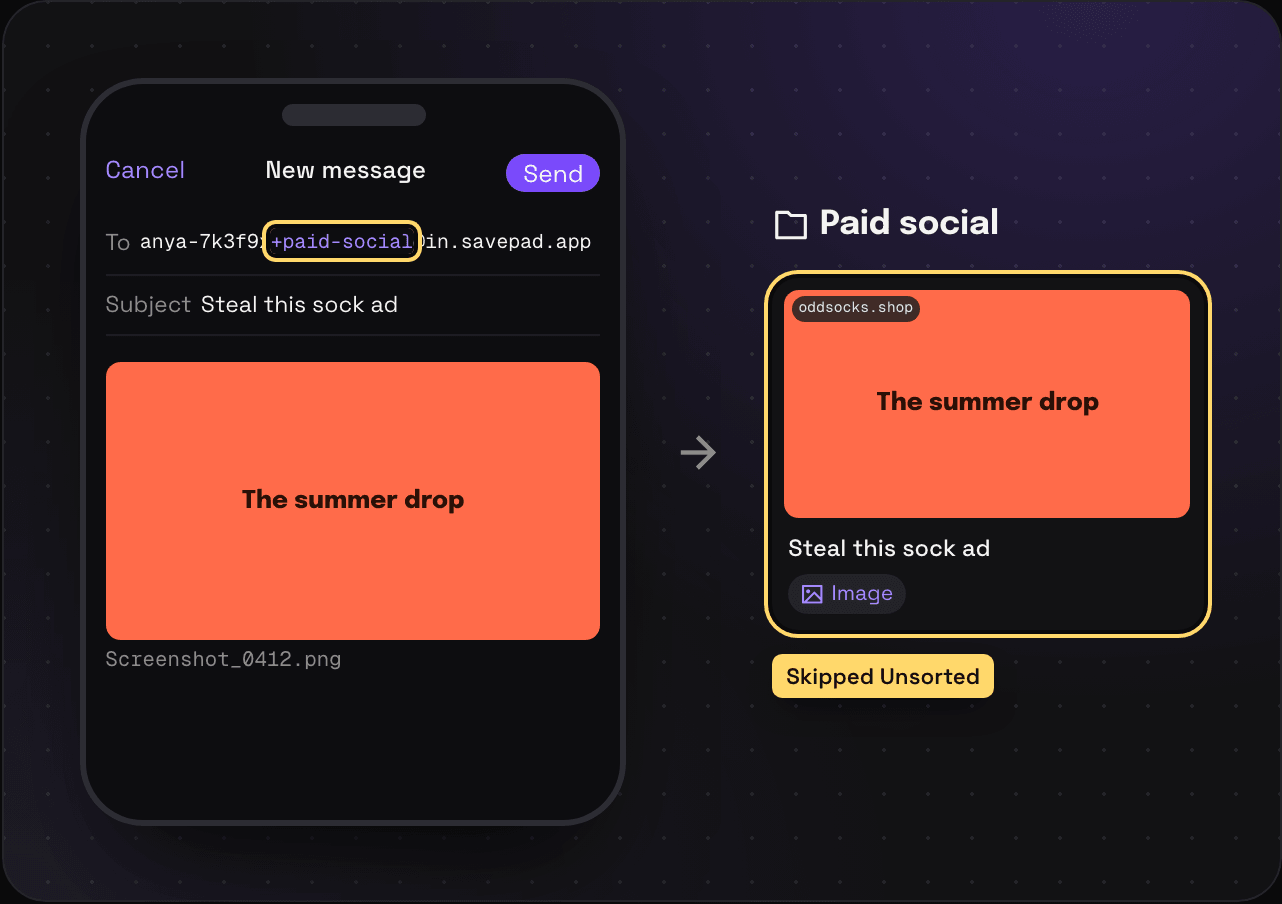
Put the folder’s name after a plus, right before the @. Your address with +paid-social on the end goes straight into Paid social. Spaces in a folder’s name become dashes. No folder called that? It goes wherever your address files mail, which is Unsorted unless you picked a folder in Settings.
Look things up on the go
Savepad is a web app, but you can install it. On Android, open my.savepad.app in Chrome and pick Install app: Savepad then shows up in the share menu of every app, so you can skip the email. On iPhone, pick Add to Home Screen in Safari. It opens like an app, for when you need to find something on the train.