Grid, list, map, and sorting
Show your saves as masonry, a grid, a list, or a map, and sort them by date, name, type, or colour.
Every list in Savepad (a folder, a space, a tag, Unsorted, Favourites, a search) has the same toolbar at the top right.
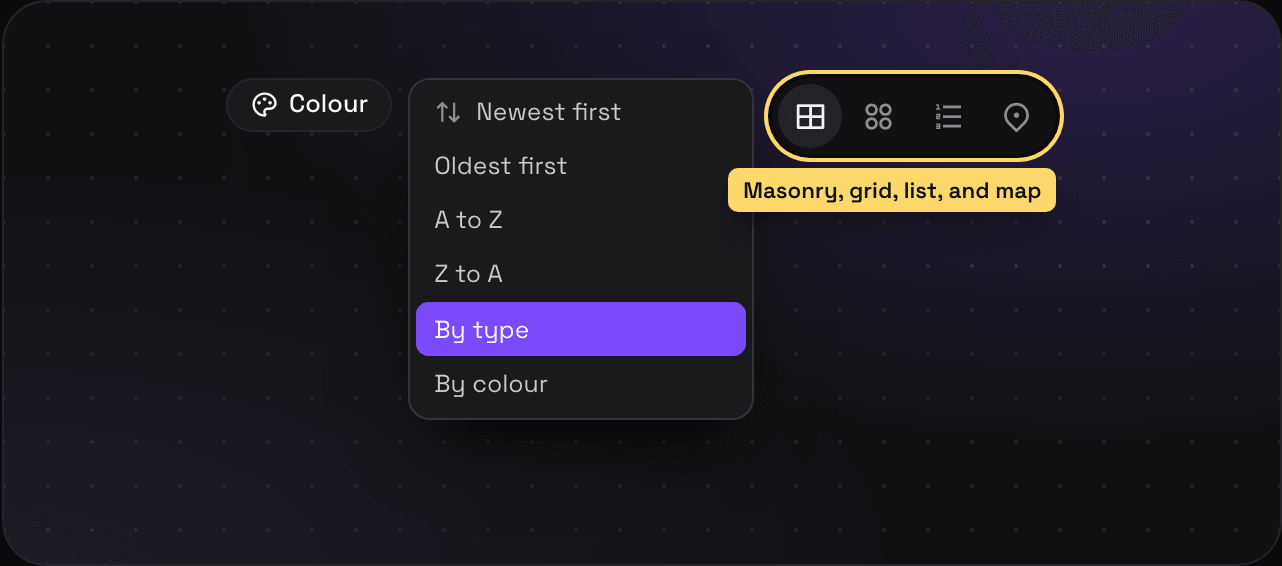
Four ways to look at things
- Masonry: cards at their own height, like a moodboard. Good for screenshots and ads.
- Grid: every card the same size. Tidier, and easier to scan titles.
- List: rows with the name, type, folders, tags, colours, and date. Best for a big import.
- Map: shows up when the list has places or routes in it. Every pin at once, with what’s in view beside it.
Pick your default in Settings > Preferences under Show saves as.
Six ways to sort
Newest first, Oldest first, A to Z, Z to A, By type, and By colour (rainbow order, which is weirdly satisfying for a moodboard). The bin also has Binned most recently and Going soonest. Savepad remembers your sort.
Searches sort by best match instead.
Colour
The Colour button shows only saves with a colour in them. Pick a swatch, and press × to see everything again. Search by colour has more.
Hide the sidebar
Press [ to hide the sidebar and give the saves the whole screen. Press it again to bring it back.