PDFs
Save PDFs and search every word inside them, scanned pages included. Search hits open the PDF on the right page.
Brand guidelines, the kickoff deck, a 40-page teardown from 2023. Save the PDF once and every word in it is searchable. Scanned PDFs too.
How to save a PDF
- Drag and drop it onto Savepad.
- Email it to your Savepad address as an attachment.
- The save dialog: press N and drop it in.
What you get
- The PDF, opened right in Savepad
- Open it full size for your browser’s own PDF viewer
- Every word searchable. Pages that are pictures of text (scans, exported slides) get read with OCR.
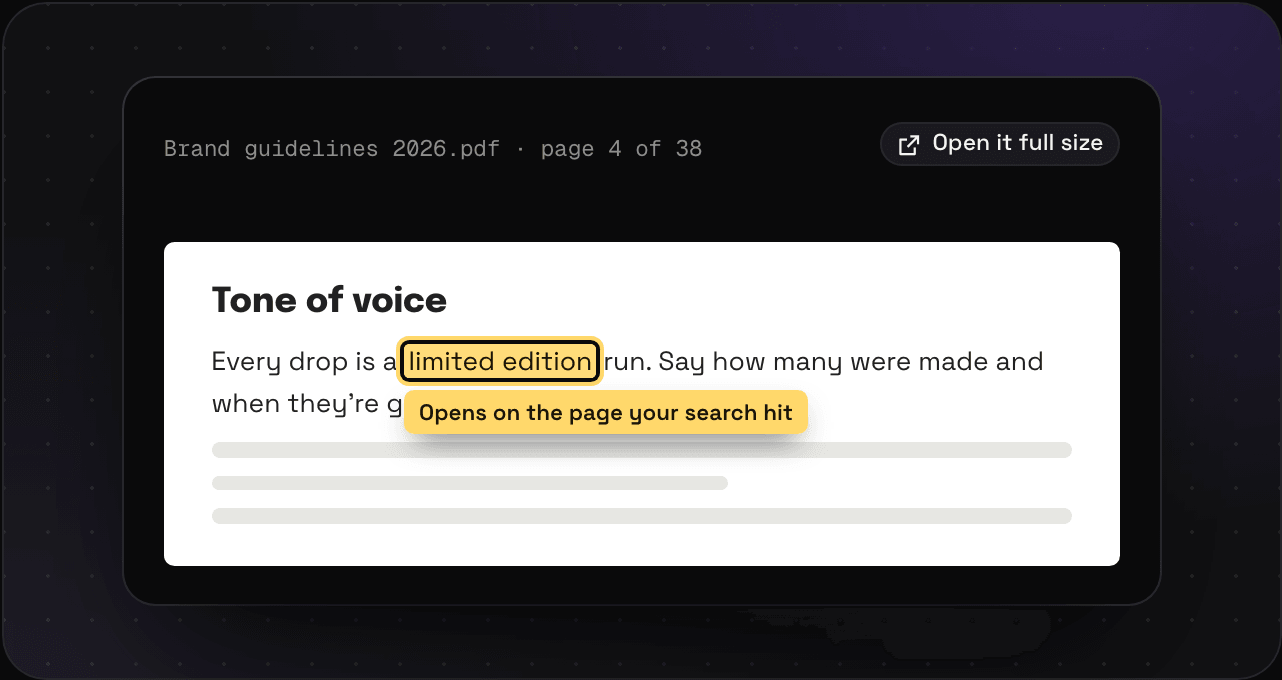
- Opens on the page that matched. Search “limited edition”, open the PDF, and you land on page 4.
Sizes
PDFs are on Light and Ultra Pro Max Plus. Light takes them up to 50 MB each, and Ultra Pro Max Plus up to 250 MB. The plans page has the details.
Tips
type:pdfin search only shows PDFs.- A PDF of slides is still a PDF. Keynote and PowerPoint files are documents.