Page history and link checks
Watch a page and Savepad keeps a version every month it changes. Plus dead link checks, monthly on Light and weekly on Ultra Pro Max Plus.
The pricing goes up, the hero gets redesigned, the whole thing 404s. On Ultra Pro Max Plus, Savepad keeps an eye on it.
Watch a page
Open a saved link, recipe, or product and press Watch this page under Page history. Savepad looks at it now, then once a month. Every time the page changed, you get a new version: the text and a screenshot.
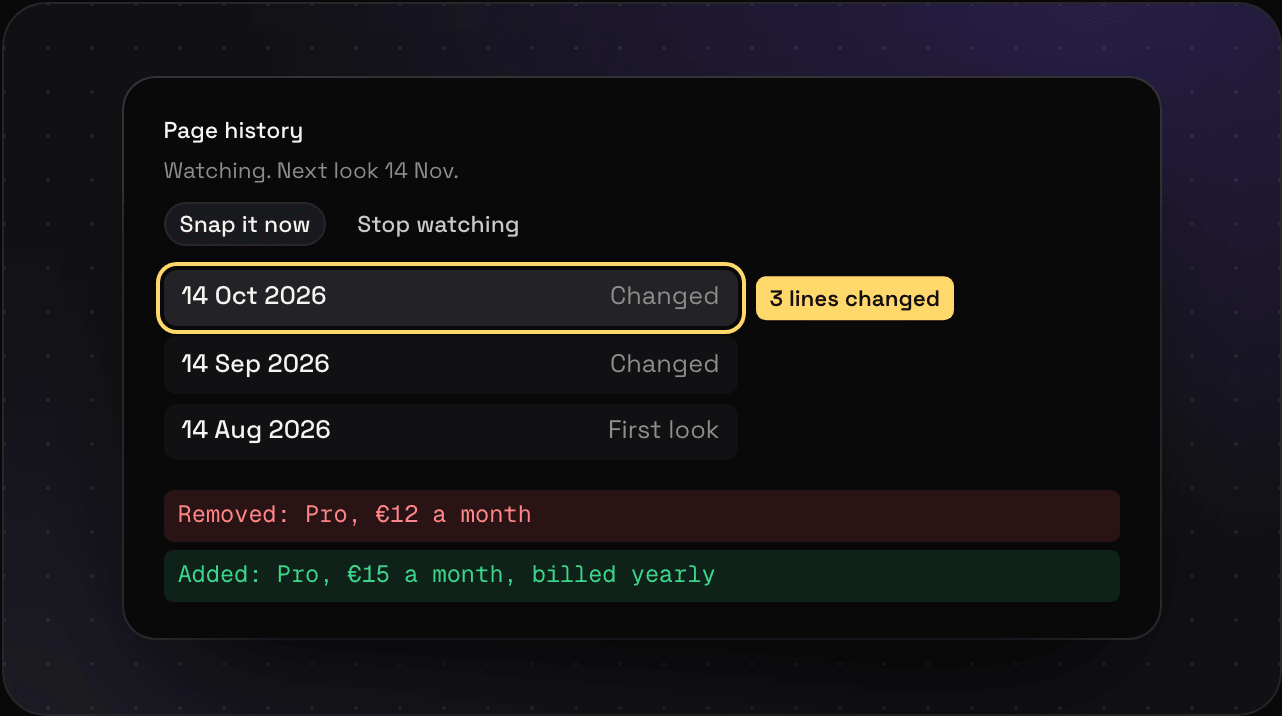
- What changed: open a version to see the lines added and removed since the one before.
- Snap it now: don’t want to wait a month? Take a version by hand, once a day per page.
- Stop watching: the versions you have stay.
You can watch 100 pages at a time, and versions are kept for two years.
Link checks
Every week on Ultra Pro Max Plus, and every month on Light, Savepad checks that your saved links still open. A link that died says Dead link · your snapshot still has it on its card, and a link that redirects somewhere else says where it moved to.
Your full-page screenshot and reading copy were taken the day you saved it, so you still have the page after the site’s gone.
Plans
Page history is on Ultra Pro Max Plus. Link checks are monthly on Light and weekly on Ultra Pro Max Plus. Every plan gets a full-page screenshot and a reading copy of every link. See plans and billing.