Import from other apps
Bring your bookmarks from Raindrop, Pocket, Pinboard, Instapaper, your browser, or a CSV, and your Google Maps lists from Takeout.
Where to find it
Go to Settings > Import and export.
What you can import
| From | Export this | What comes across |
|---|---|---|
| Any browser | The bookmarks HTML file | Folders, subfolders |
| Raindrop.io | CSV or HTML export | Collections as folders, tags, notes |
| The CSV export | Tags, date saved | |
| Pinboard | JSON export | Tags, notes |
| Instapaper | CSV export | Folders |
| Savepad | A Savepad JSON export | Folders, tags, notes |
| Google Maps | The Takeout zip, with only Saved ticked | Your lists as folders, the places on a map, your notes |
| Anything else | A CSV with a url column | Title, tags, folder, note, and date, if you have them |
How it works
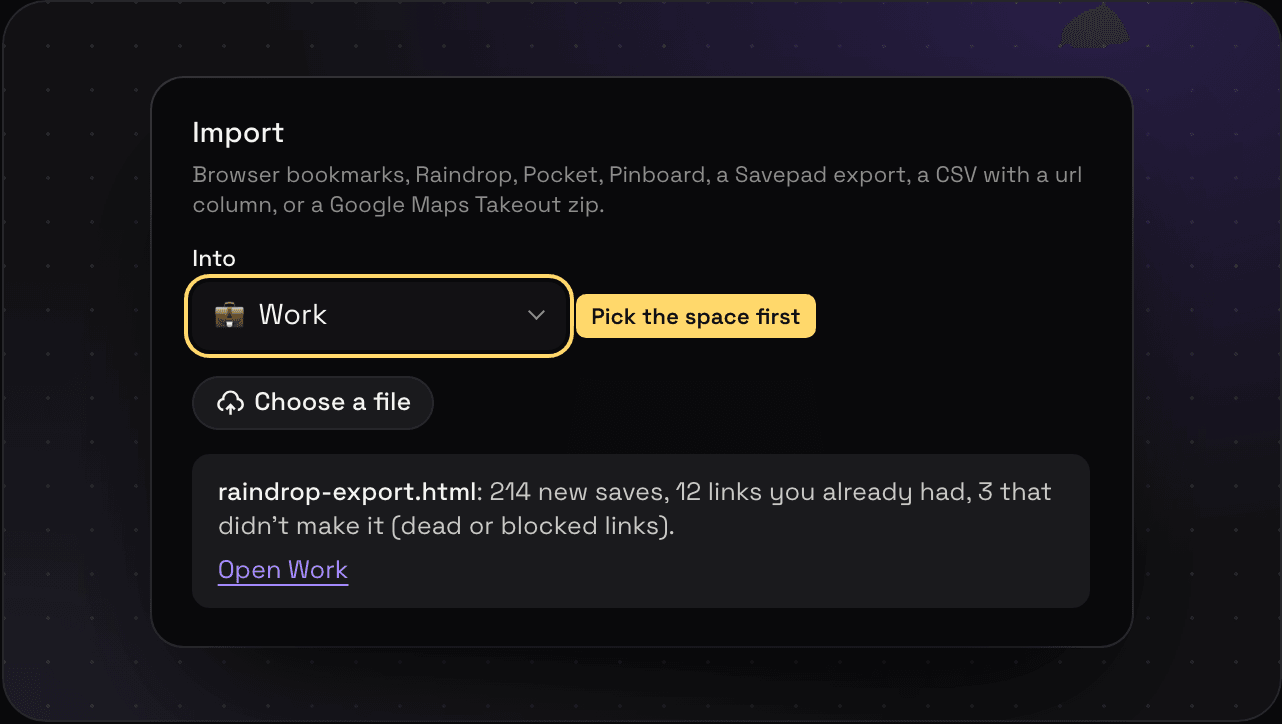
- Pick the space it goes into, under Into.
- Press Choose a file and pick the export.
- Your links show up straight away, with a note of how many came in, how many you already had, and how many didn’t make it. Savepad fetches every page again in the background to make fresh previews.
Google Maps lists
Your saved lists come over through Google Takeout, each list as a folder of pinned places. Importing Google Maps lists walks through it.
Moving in from more than one app? Getting everything you’ve saved into one place goes through Slack, Figma, Drive, and the rest, source by source.