Saved views
Save a search or a filter in Savepad as a view in the sidebar that keeps itself up to date, like red ads this month or every pricing page.
Do the same search every week? Save it. A view is a search with a name that sits in your sidebar and updates itself, so new saves that match just turn up.
Save a view
- Search and filter until you see what you want. Words, a type, a colour, any mix.
- Press Save this view at the top.
- Give it a name.
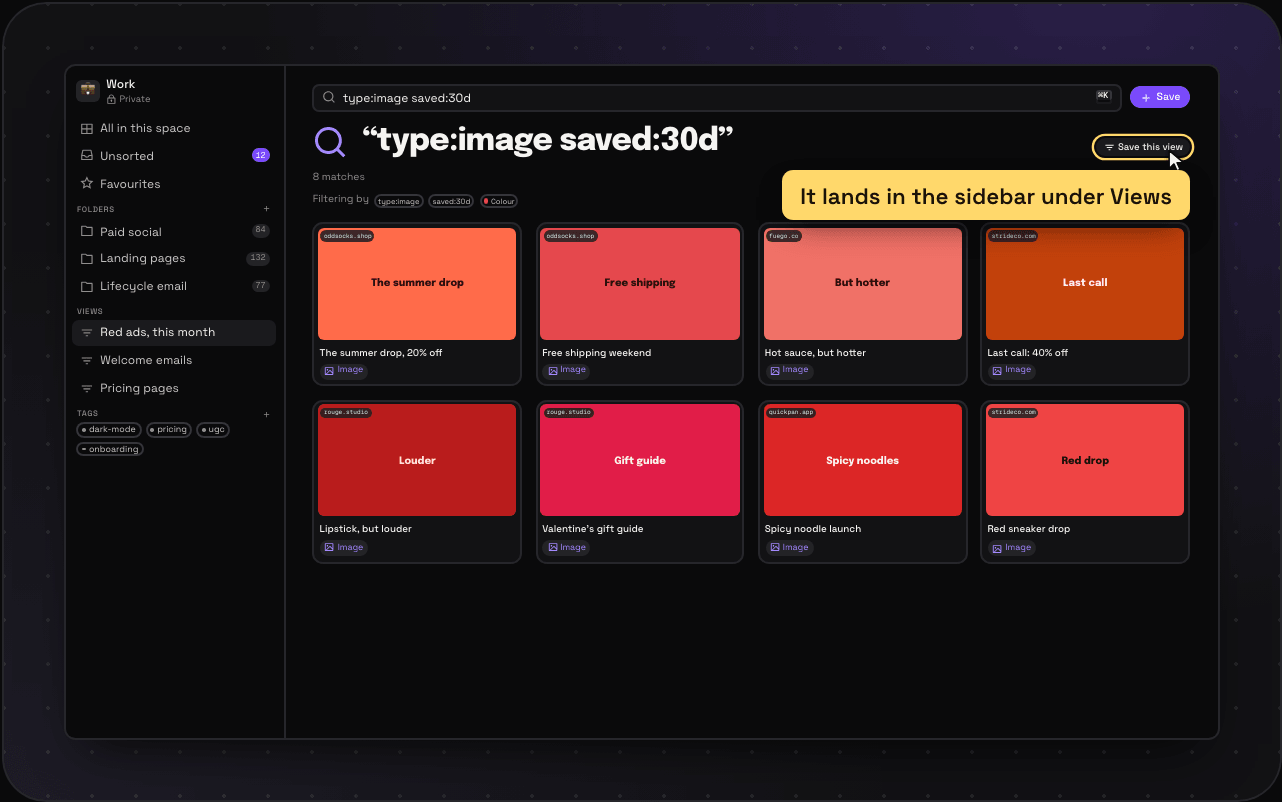
It shows up in the sidebar under Views. Click it any time.
Views worth making
- Red ads, this month:
type:image saved:30dwith red picked in the colour row - Welcome emails:
type:email welcome - Every pricing page:
pricing type:link - Still to sort:
is:unsorted
Change or remove a view
Right-click it in the sidebar to rename or delete it. Deleting a view never touches the saves in it.