Spaces, folders, and tags
How to organise Savepad: spaces for the big topics, folders nested as deep as you like, and tags across everything. Make them, move them, colour them.
Three ways to sort things, and you can use all of them or none. Spaces are the big buckets, folders go inside spaces, and tags cut across folders. Not sure where to start? Make one space, three folders, and let Unsorted catch the rest.
Spaces
Spaces are the big buckets, like Work, Side hustle, or Wedding. Each space has its own folders, tags, and custom properties, and you can make one public without touching the others.
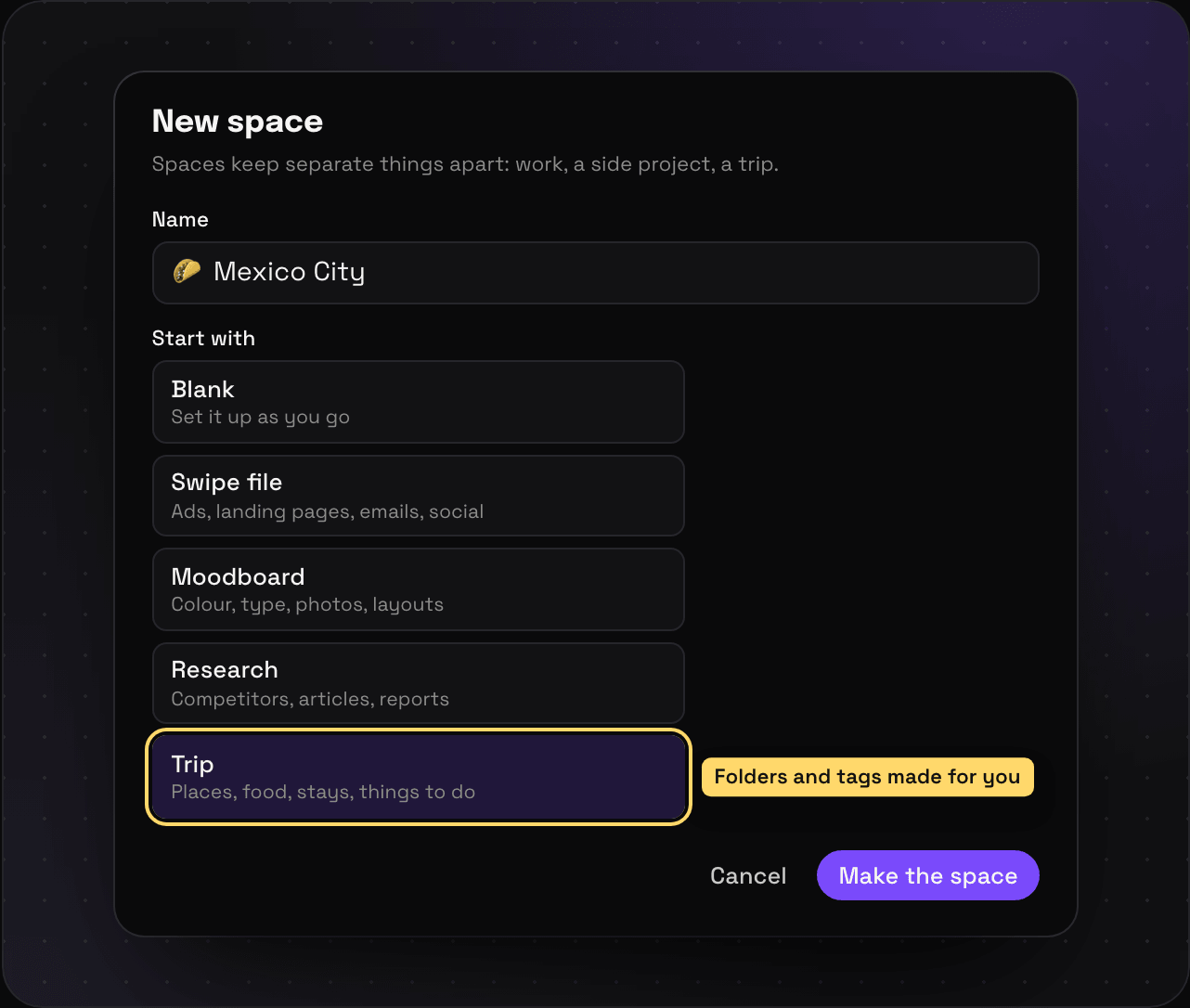
Make a space: open the switcher at the top of the sidebar and press New space. Name it, pick an icon, and pick what to start with. Blank gives you an empty space. Swipe file, Moodboard, Research, and Trip make the folders and tags for you, which you can rename or delete after.
Switch spaces with the same switcher, or press ⌘K and type the space’s name.
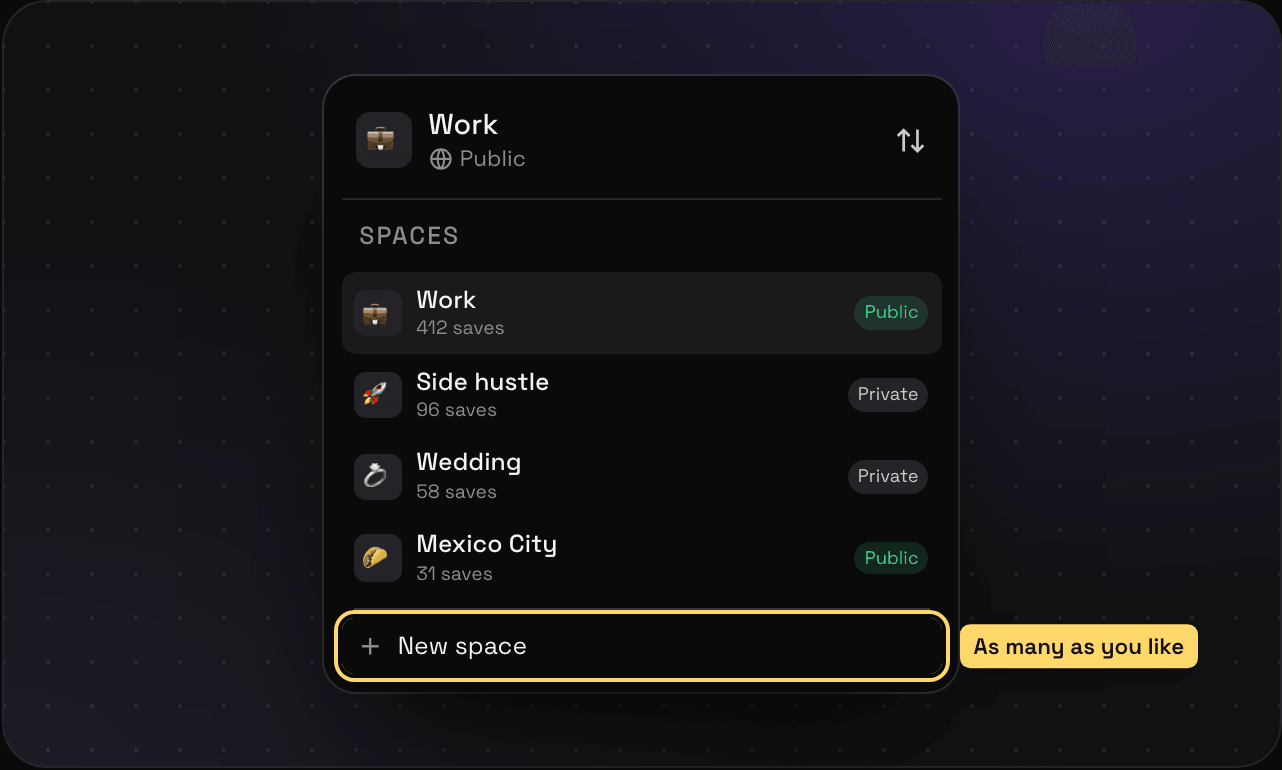
Edit a space from its menu in the switcher: rename it, change the icon, add a description (it shows on your public page), or change who can see it.
Folders
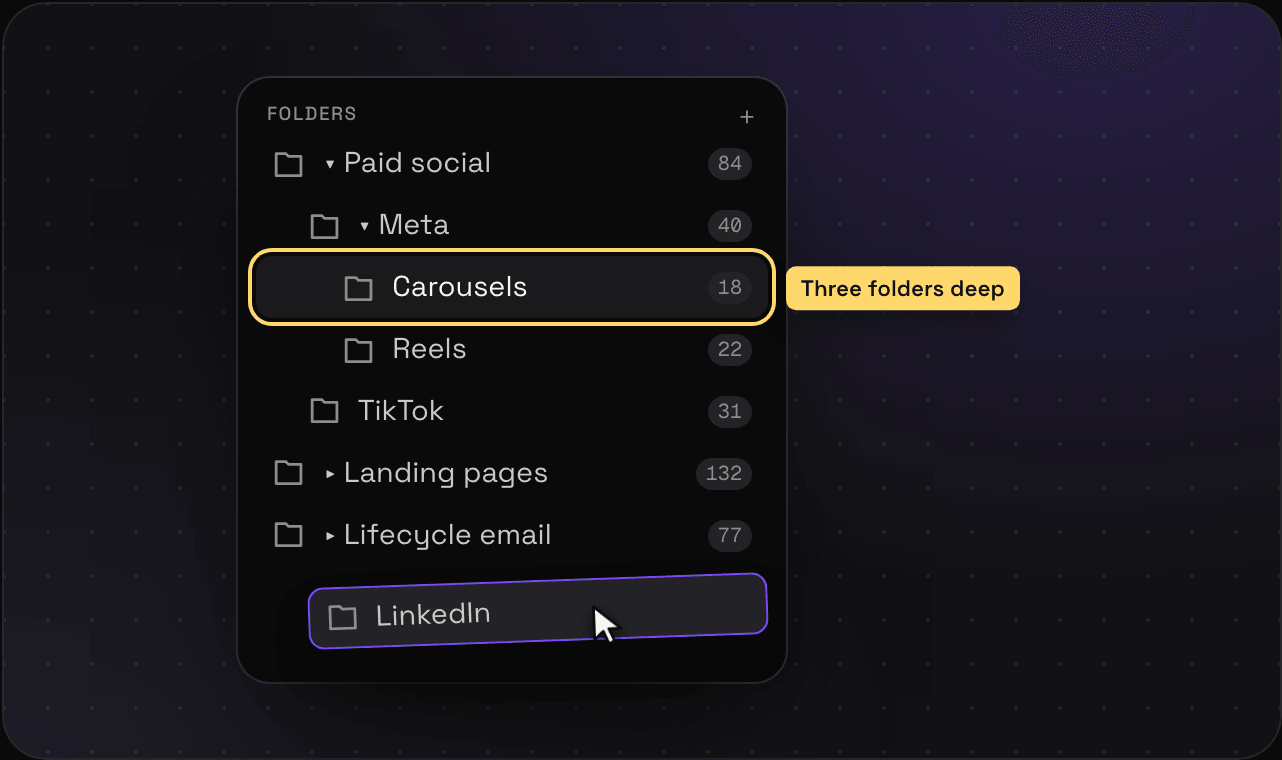
Folders live inside a space and nest as deep as you like: Paid social, then Meta, then Carousels.
- Make one: press + next to Folders in the sidebar. To make one inside another, right-click the folder and pick New folder inside.
- Move or reorder: drag it. Drop it on another folder to put it inside.
- Rename, recolour, or re-icon: right-click it and pick Rename or Icon and colour.
- Sort the sidebar: the sort button next to Folders switches between Your order (drag to arrange) and A to Z.
- Bin it: right-click and pick Bin folder. It waits in the bin for 30 days, and the saves in it stay in your library.
One save, many folders
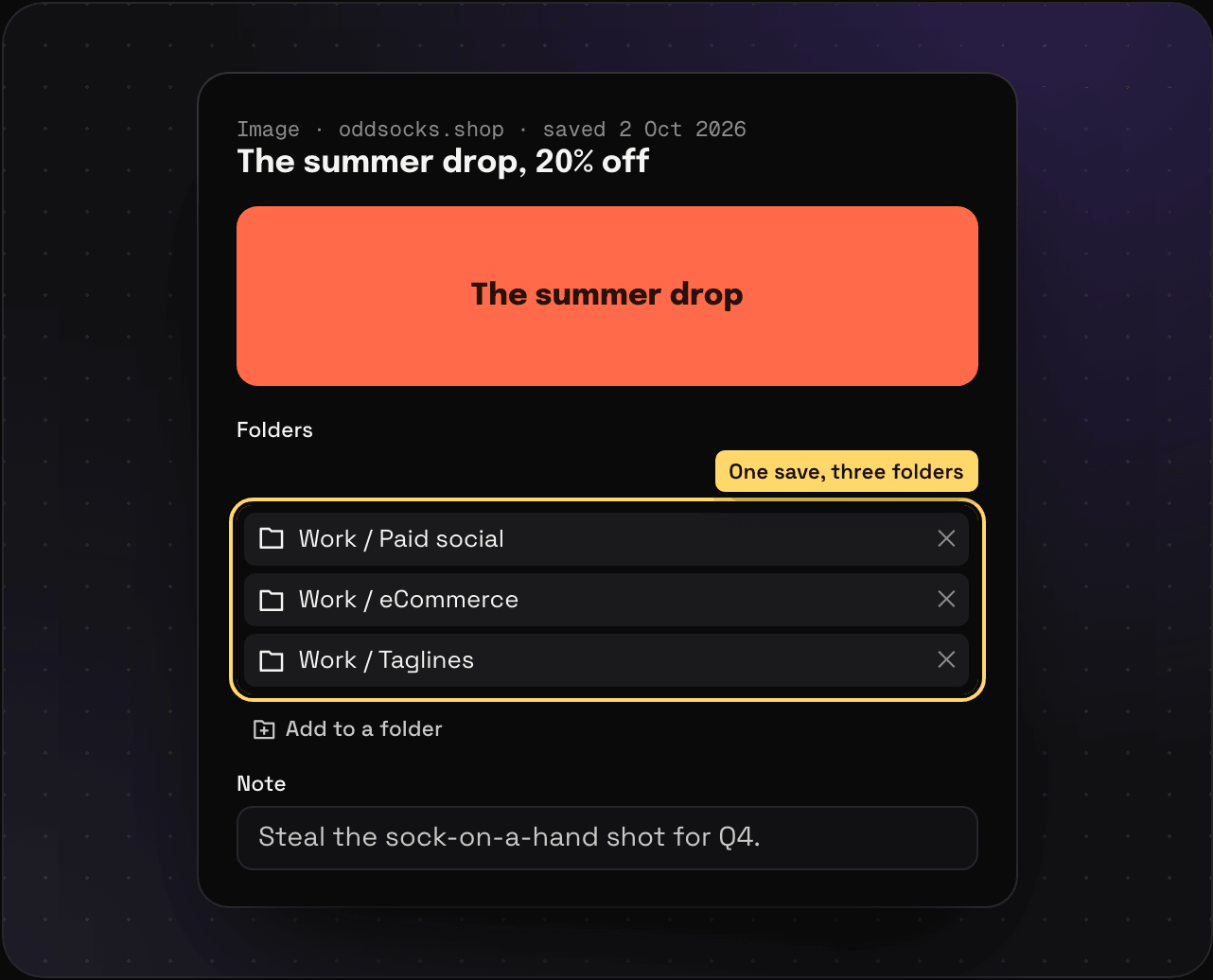
A save can sit in as many folders as it fits. That ad really belongs to Paid social, eCommerce AND Taglines? Put it in all three. It’s still one save, so edit the note once and it’s edited everywhere.
To add a save to another folder, open it and press Add to a folder, or drag its card onto a folder in the sidebar. Press E on a selected save to file it from the keyboard. Taking it out of one folder (Take out) leaves it in the others.
Tags
Tags cut across folders. Tag a landing page and an ad #dark-mode, and you don’t need a third folder just for that.
- Add tags from a save’s Tags box, or press T on a selected save. Type a new name to make a new tag.
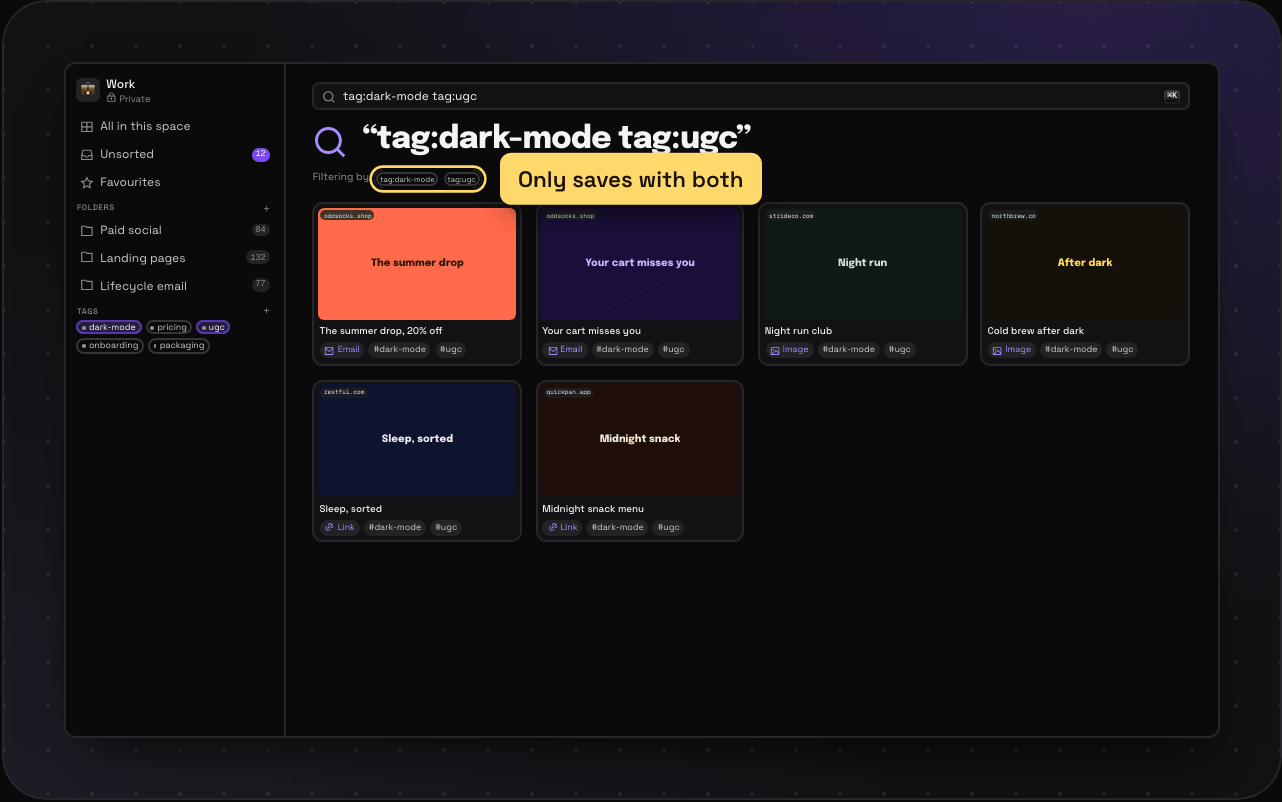
- Filter by a tag: click it in the sidebar. Click more to stack them, and only saves with all of them stay. Or type
tag:dark-modein search. - Manage a tag: right-click it in the sidebar for Icon and colour, Rename, Make public, and Bin tag. A binned tag comes off its saves for 30 days and goes back on them if you put it back. The saves never go anywhere.
Each space has its own tags, so #pricing in Work and #pricing in Side hustle are two different tags.
Doing a lot at once
Select saves with X, or by ticking their cards, and file, tag, or bin them all together. Selecting lots at once has the details. Got a pile to sort? Triage mode goes through it one save at a time. And to never sort the same kind of thing by hand again, write a rule.