Settings
Everything in Savepad Settings, section by section: profile, public page, account, preferences, billing, rules, capture, API, and import and export.
Settings live under your picture at the top right, or press G then S. It’s one page with nine sections, listed down the side.

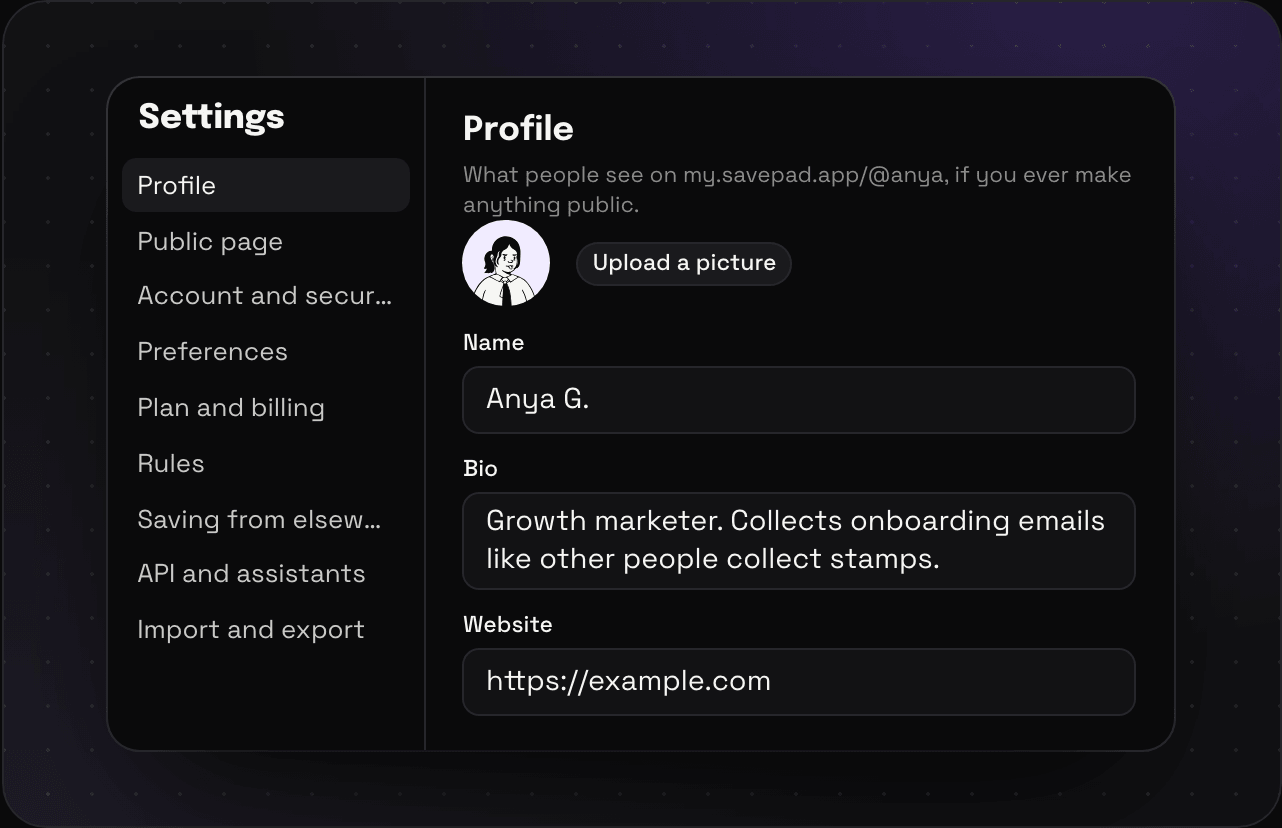
Profile
Your picture, name, bio, website, and links to elsewhere (LinkedIn, X, Instagram, GitHub, and so on). This is what people see on your public page, if you ever make anything public. Your username lives here too. See profile and username.
Public page
Everything you’ve made public, with a switch for each space, folder, and tag, and Keep out of search engines. See your public Savepad.
Account and security
Your email, how you sign in, every device you’re signed in on, Sign out everywhere, and deleting your account. See account and security.
Preferences
- Show saves as: a grid of cards or a list, as your default. See grid, list, map, and sorting.
- Less motion: stops the drifting light on the home and login pages, whatever your system setting says.
- Emails: the odd tip on getting more out of Savepad, and an email when something big ships. Both off whenever you like.
Plan and billing
Your plan, your next charge, what you’re using, and every invoice. See plans and billing.
Rules
Rules that file new saves as they come in. See rules.
Saving from elsewhere
Your Savepad email address, and how to install the app on your phone. See saving from your phone.
API and assistants
Connector links for Claude and ChatGPT, tokens for developers, and the list of everything connected. See connecting an assistant and the API reference.
Import and export
Bring things in, take everything out. See importing from other apps and exporting your library.